ỌRỤ MBULIGA NA-ARỤ ỌRỤ 24/7
Koodu mmemme JULY15 — Mbelata 13% na ndị na-ekiri ruo ọgwụgwụ July
1
Ọnọdụ
Twitch [ndị na-ekiri, mbuso agha, nlele] — Na-arụ ọrụ
Kick [ndị na-ekiri nyere ikike] — Na-arụ ọrụ
Ndị ọzọ [nlele, ndị na-ekiri] — Na-arụ ọrụ
2
Nkwado
Enwere nsogbu na usoro a? Dee na nkata
Ị chọrọ ndị na-ekiri 10,000–100,000? Telegram nke Admin — @TiKey_K
3
Onyinye
Debanye aha ma nweta ego onyinye
Bụrụ onye mmekọ ọrụnjikọ
Usoro nrụtụ akanjikọ
How to improve the image quality on the stream in OBS Studio

How to improve the image quality on the stream in OBS Studio

There are a lot of useful things in this plugin: transitions, filters, beautiful background screensavers, start screens, improved color correction and much more.

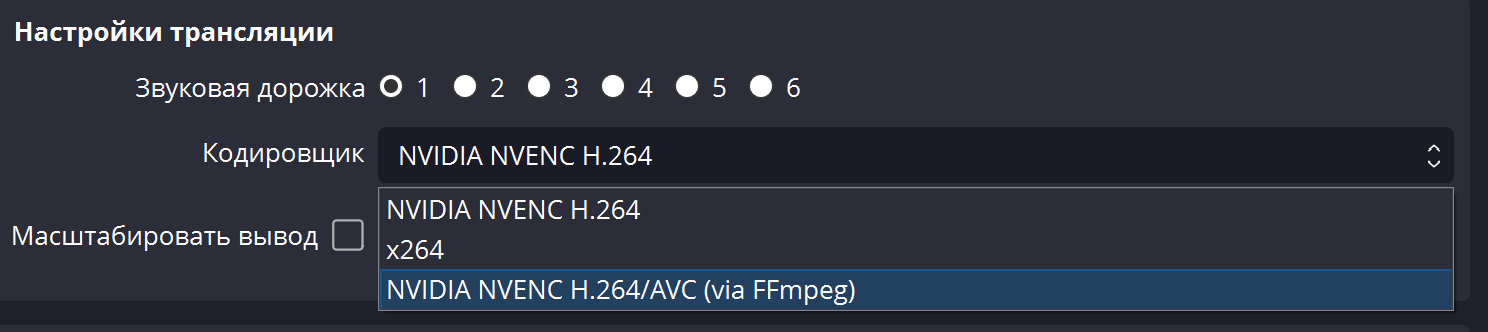
But most importantly, the new version of the plugin has a new codec from Nvidia, which allows you not to increase the bitrate and at the same time significantly improve the quality on the stream.

FFmpeg adds support for the NVIDIA NVENC AV1 encoder, which is 100% superior to HEVC.
Now FFmpeg has also added support for NVIDIA's AE1 hardware encoder. AV1 is 40% more efficient than H.264, at the same bitrate.

Download here - github.com/Xaymar/obs-StreamFX/releases/tag/0.12.0a151

Deposit funds, one-click order, discounts and bonuses are available only for registered users. Register.
If you didn't find the right service or found it cheaper, write to I will support you in tg or chat, and we will resolve any issue.

Viewer control panel [Twitch | Kick | YouTube | VK Video Live]

Build your own custom plan