
How to set up a single QR code for stream announcements and analytics
What a single QR code solves for announcements
It's better to encode not a link to a specific broadcast in the QR code, but a permanent intermediate address. The viewer scans the same code on a poster, screen, merch, or announcement card, and this address redirects them to the nearest live stream, schedule, or channel page.
This approach means you don't have to reissue the QR code before every stream. You change the redirect destination, and the printed materials keep working. A single code is convenient to use as a common entry point from offline into the announcement funnel.
Where to place the permanent address before creating the code
The intermediate address can be set up on your own domain, through a link shortener service with redirects, or on a mini-landing page. The main condition is that the channel team must retain access to the settings, otherwise the QR code becomes useless after losing the account or the service being shut down.
Your own domain gives you more control over the link and data, but requires setting up the redirect and renewing the domain. A link shortener is easier to launch, but you depend on its rules and availability. A mini-landing page lets you show the schedule and buttons for multiple platforms, but adds an extra step for the viewer before the live stream.
What path to set for the QR code
For a permanent code, an address like https://go.example.com/live will work. That's what you need to convert into a QR code. On the redirect side, this address can point to the nearest broadcast page, the channel page, or the schedule.
- The nearest live stream page works for announcements a few hours or days ahead. Drawback: after the stream ends, it needs to be replaced immediately.
- The channel page works for regular broadcasts. Drawback: the viewer will have to find the right stream among other content themselves.
- The schedule page works for several upcoming streams. Drawback: the schedule needs to be kept up to date.
- A mini-landing page is convenient for multistreaming. Drawback: choosing between platforms may reduce clicks to the main platform.
What tools are needed for redirects and reports
The setup requires just three classes of tools: a QR code generator, a redirect or link shortener service, and a web analytics system on the final page. If the channel has a website, the redirect can be set up on your own domain, and clicks can be recorded in the site analytics.
The redirect must preserve the link parameters when forwarding to the landing page. Otherwise, the tags may get lost between the QR code and the announcement page. Before printing, test the entire chain: scanning, opening the intermediate address, redirecting to the current live stream, and the visit appearing in the report.
Example of a link with UTM tags for a single QR code
If you need to separate clicks from the general offline code from other channels, tags are added directly to the permanent address. Example of a link for a QR code:
https://go.example.com/live?utm_source=qr&utm_medium=offline&utm_campaign=stream_announcements&utm_content=universal
Here utm_source=qr indicates the traffic source, utm_medium=offline is the placement type, utm_campaign=stream_announcements is the announcement campaign, and utm_content=universal is the general QR code. You can choose different names, but they must be used consistently across all reports.
How such a link looks in an analytics report
After a click, a row with the values will appear in the source report: source — qr, channel — offline, campaign — stream_announcements, ad content — universal. Next to it, the system will show the available metrics: visits, users, page views, clicks on the live stream button, or other configured events.
This lets you compare general offline traffic with posts, newsletters, and links on social media. For example, a link from a post might look like this: https://go.example.com/live?utm_source=telegram&utm_medium=post&utm_campaign=stream_announcements&utm_content=announce_01. In the report, it will be a separate row, and QR clicks won't be mixed with clicks from the post.
What exactly can be counted as a QR code scan
Standard web analytics doesn't see the moment the camera is pointed at the QR code, but the click on the link. A person may recognize the code, see the address, and not open it. Such a case won't appear in the report. Therefore, it's more accurate to call the metric not the number of scans, but clicks or visits via the QR link.
A redirect service can record a request to the intermediate address, and analytics on the landing page can record the page load and subsequent actions. There may be a difference between these numbers: the browser may fail to load the page, the user may close it immediately, or an ad blocker may limit data collection.
How to evaluate the effectiveness of offline placements
For a single QR code, count clicks on it as the overall result of the entire offline campaign. To understand the context, record in a table the placement dates, print run, display location, campaign duration, and the call-to-action text next to the code. This won't separate visits automatically, but it will help match spikes in clicks to specific placements.
If posters appeared in several places on different days, you can compare the periods before and after placement. The drawback of this method is that it gives an approximate estimate: growth in clicks could simultaneously be influenced by social media posts, collaborations, or the stream itself.
When a single QR code isn't enough
A single code won't determine which specific poster the viewer came from if the same image is placed in the studio, at a partner's location, and at an event. All clicks will fall into one universal row. You can't assign a source after scanning: the parameters are already written into the link inside the QR code.
If it's important to compare individual locations, create additional variants only for key placements. For example, for a partner poster use the value utm_content=partner_poster, and for a screen at a festival use utm_content=festival_screen. The drawback of multiple codes is that files are easy to mix up when printing, so each variant needs a clear registry.
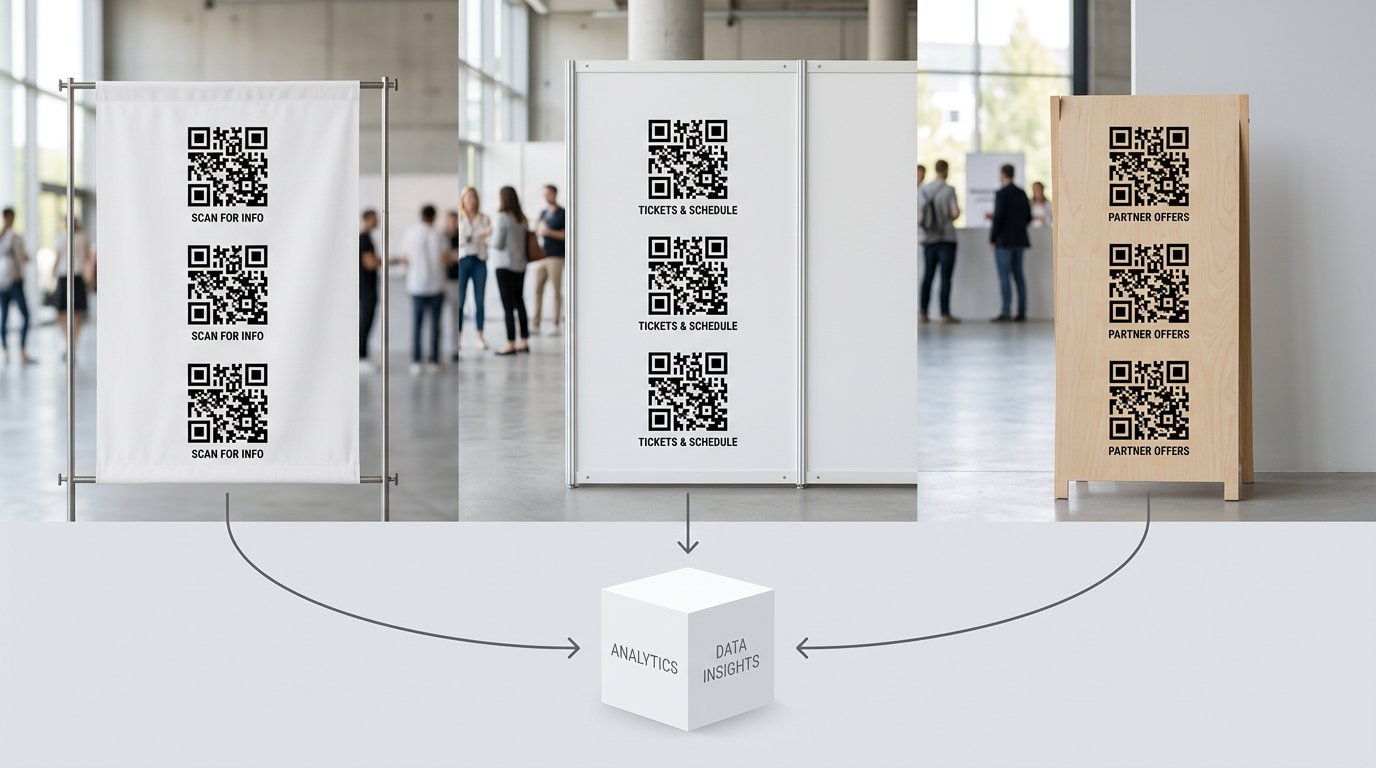
How to maintain a registry of links and QR layouts
In the table, specify the QR code file name, the full address, the placement location, the display period, the responsible person, and the redirect destination. For the general code, you can add a universal note, and for individual locations — the partner name, location, or format.
Don't use viewer names, order numbers, phone numbers, or other personal data in UTM tags. For channel analytics, it's enough to indicate the source, format, campaign, and placement. Choose a consistent format: lowercase letters, Latin characters, words separated by hyphens or underscores without mixing variants.
Checking the QR code before publishing and printing
Test the QR code on several smartphones, via mobile internet and Wi-Fi. If the code will be shown on a stream or a large screen, test scanning from a real distance, under bright light, and with image compression by the platform.
- The intermediate link opens without errors and doesn't require authorization.
- The redirect leads to the current live stream, schedule, or channel page.
- UTM tags are preserved until the final page or recorded by the redirect system.
- The click appears in the report after a test visit.
- The QR code isn't covered by a logo, text, frame, or decorative elements.
How to update the destination before the next stream
Before a new announcement, change the redirect's final page and check it manually. After the broadcast ends, don't leave the code pointing to an unavailable page: redirect the viewer to the recording, the channel, or the nearest schedule. That way, old posters and posts keep bringing the audience to the current destination.
Don't change the address itself encoded in the QR code if the materials have already been published or printed. You only need to change the destination on the redirect side. The drawback of a permanent link is that you'll have to monitor its functionality for the entire lifespan of the materials.
Last Articles
What has changed in design and functionality We have updated the website to make working with it faster and more convenient. The main changes affect ..
Good afternoon, I've collected all the news during this time.: 1. The main news is that prices for twitch viewers have been greatly reduced, while Tw..
1. Use promo code "December2025" for a 15% discount for all our viewers2. We have reduced the base prices for our configurator and the most affordable..
Twitch services are working stably, so we are ready to cooperate with squads, resellers, service owners, bot owners, and many others.Individual te..
We have completely updated our Twitch viewer services, and they are now working stably. We only use high-quality IP addresses for the viewers.The ..
Hello everyone! Today, we are announcing a new feature—"Twitch Viewer Configurator". Now, you can customize any plan for your Twitch channel. Choo..
Greetings, I have compiled a guide for streamers, which will be very relevant at the moment. Now YouTube and twitch have disabled monetization from vi..
We have finally developed the APINow it will be more convenient for our partner sites to work with us.To update the maximum tariffs for YouTube, an up..
Due to the huge popularity of the partnership services and referral program, we have made a cooperation table. The essence is very simple: more live a..
Our Services for Streamers








Our Services for Content Creators






