
How to Recover USDT Sent on an Unsupported Network
Why USDT Did Not Appear in the Balance
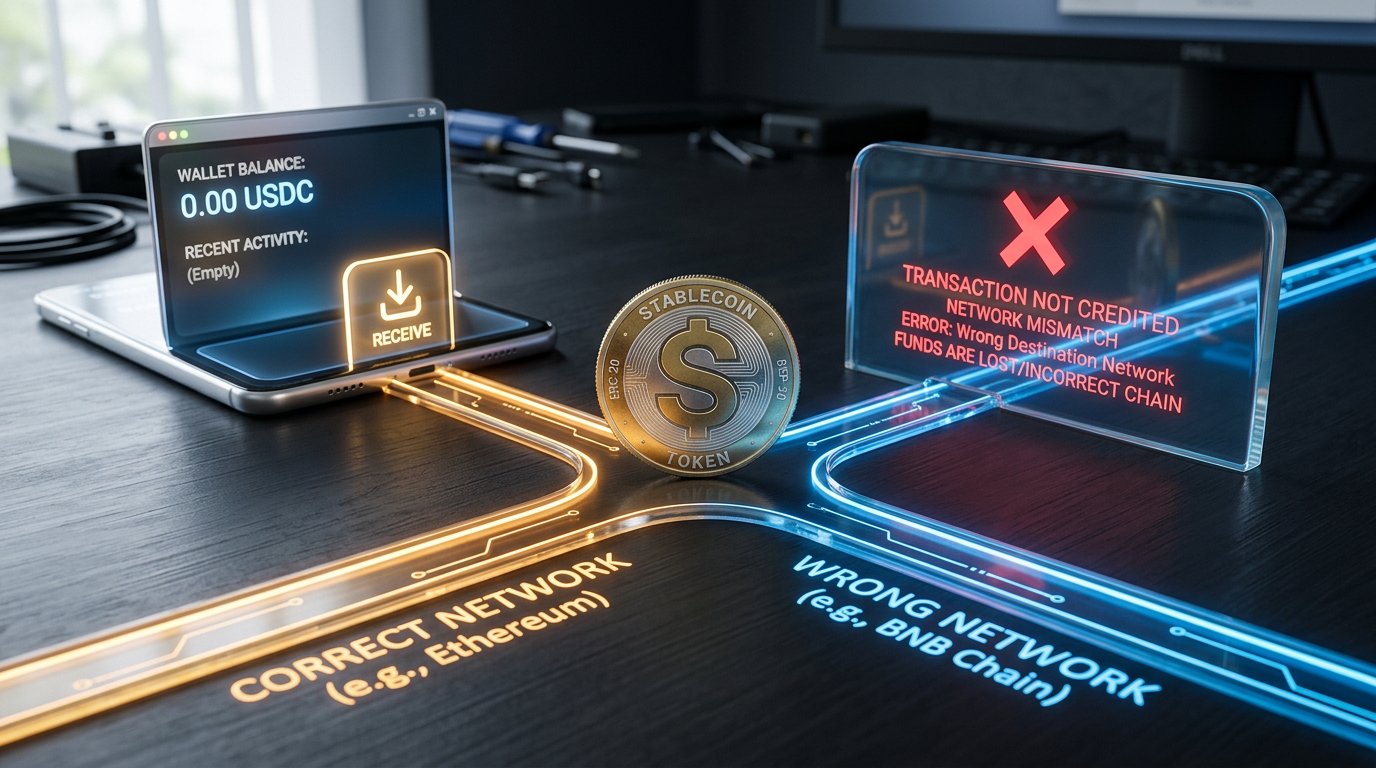
If you sent USDT on a network that the recipient does not support, the transaction may go through successfully, but the service will not credit the deposit. For example, the platform expects USDT on Ethereum, but the transfer was made via BNB Smart Chain.
A successful status means that the transfer is confirmed on the network, not that the exchange or wallet has displayed the funds. They cannot be returned by a regular cancellation after confirmation. The possibility of recovery depends on the network, the address, and who controls the recipient's keys.
First, Check the Transfer Status
In the withdrawal history, find the operation status and the transaction identifier — the TxID or hash. Use it to check the transfer in the block explorer of the network through which the tokens were sent. Verify the destination address, amount, network, and token name.
If the withdrawal is still being processed and there is no transaction on the blockchain, you should contact the support of the sending service as soon as possible: sometimes cancellation is available before sending. If the transaction did not go through, proceed according to the operation status and the service's instructions.
Make Sure the Network Is Really Unsupported
Check the USDT deposit page at the recipient: the network specified for the specific asset and deposit matters. Support for a network for other coins does not mean that the platform accepts USDT through it as well.
A delay in crediting may also be due to an insufficient number of confirmations, deposit maintenance, or a missing tag or memo if they were required. In that case, the recovery procedure may differ from the procedure for an unsupported network.
If USDT Was Sent to an Exchange
When transferring to an exchange address, you need to contact the receiving exchange for recovery. It is the one that manages the address keys or the deposit infrastructure. The sending platform usually cannot take the tokens back after the transaction is confirmed.
Find the section on uncredited deposits in the recipient's help center or submit a request to support. Some platforms review such requests, but may refuse due to technical limitations, an unsupported asset, or the service's rules.
What Data Support Needs
Usually, to find the transfer, you will need the TxID, network, sender address and recipient address, asset, amount, and approximate time of the operation. You may need the account ID on the platform and confirmation that the transfer belongs to the owner of the request.
Clarify the terms before agreeing to recovery: there may be a fee, a minimum amount, and a long wait. Even a paid request will not necessarily lead to a refund. The exact terms depend on the platform and the specific transaction.
If the Address Belongs to Your Own Wallet
In a wallet where the owner controls the keys, the absence of USDT on the screen does not always mean loss of access. The app may not display the required network or token. Check whether you can switch to the sending network and add USDT by its contract address.
The same address appearance does not guarantee access to the funds. In EVM-compatible networks, addresses often look the same, but the result depends on the wallet and how the address is managed. For an exchange deposit, the presence of a similar address does not give the client control over the keys.
How to Check the Token in the Wallet
To add the token, use the USDT contract address specifically on the sending network. You can verify it against official sources and a trusted network explorer. The name USDT alone is not enough: anyone can create a token with a similar name.
If the wallet does not support the required network, check the official documentation on compatibility and recovery. Importing keys into another app carries the risk of fund theft, so you should use only trusted software and understand the consequences of such a step.
How to Withdraw the Found Tokens
If the tokens are displayed at a controlled address on the sending network, they can be transferred to an address that accepts USDT specifically on that network. The transaction usually requires a small balance of the network's native coin at the same address: the fee is paid with it, not necessarily with USDT itself.
The fee amount depends on the network and its load. Sending the native coin will not help if the address is managed by an exchange or access to it is unavailable. You should not transfer additional funds to such an address without instructions from the recipient.
When a Bridge Between Networks Is Needed
If the final platform does not accept USDT on the network where the tokens are located, a transfer via a cross-chain bridge or another exchange service may be needed. First, check support for both networks and the specific token, the terms of the operation, and the receiving address.
A bridge adds fees and risks of smart contracts or the service itself; transfer availability is not guaranteed. For an exchange address whose keys are not available to the client, it will not be possible to use a bridge yourself instead of the platform.
What Not to Do During Recovery
Do not share the seed phrase, private key, or access codes with anyone who promises to return the transfer. To find the transaction, support only needs public data and account information through the official procedure. Links from private messages and requests to connect a wallet to an unknown site are a reason to stop communicating.
Do not resend USDT to the same address in the hope that the first transfer will appear automatically. If the tokens went to a contract address that does not provide for a refund, or there is no access to the recipient's keys, recovery may be impossible.
How to Avoid Mistakes on Your Next Transfer
Before sending, verify the withdrawal network at the sender against the deposit network at the recipient, as well as the address and memo or tag if they are required. You need to check every transfer: the list of supported networks and deposit terms may change.
For a new destination, you can first send a small amount and wait for it to be credited. The downside of this method is the additional fee and the time for two operations, and a successful test does not eliminate the need to verify the details of the main transfer.
Last Articles
What has changed in design and functionality We have updated the website to make working with it faster and more convenient. The main changes affect ..
Good afternoon, I've collected all the news during this time.: 1. The main news is that prices for twitch viewers have been greatly reduced, while Tw..
1. Use promo code "December2025" for a 15% discount for all our viewers2. We have reduced the base prices for our configurator and the most affordable..
Twitch services are working stably, so we are ready to cooperate with squads, resellers, service owners, bot owners, and many others.Individual te..
We have completely updated our Twitch viewer services, and they are now working stably. We only use high-quality IP addresses for the viewers.The ..
Hello everyone! Today, we are announcing a new feature—"Twitch Viewer Configurator". Now, you can customize any plan for your Twitch channel. Choo..
Greetings, I have compiled a guide for streamers, which will be very relevant at the moment. Now YouTube and twitch have disabled monetization from vi..
We have finally developed the APINow it will be more convenient for our partner sites to work with us.To update the maximum tariffs for YouTube, an up..
Due to the huge popularity of the partnership services and referral program, we have made a cooperation table. The essence is very simple: more live a..
Our Services for Streamers








Our Services for Content Creators






