
League of Legends Stream Titles: How to Show the Format in a Second
The Purpose of a League of Legends Stream Title
Viewers see the title in the category, recommendations, search, or the list of active channels. In the first few seconds, they need to understand what's happening on stream: ranked, custom games, replay reviews, role coaching, or games with subscribers. The title explains the current broadcast format, not the channel as a whole.
A nickname, greeting, a bunch of emojis, and generic phrases like "streaming LoL" don't help anyone choose a stream. It's better to name the mode or topic right away and add a detail that relates to the upcoming block: the goal, participation requirements, a specific review topic, or the type of explanations.
Why the Format Goes at the Start of the Line
Long titles can get cut off in search results, especially on mobile devices. The exact amount of visible text depends on the platform and device, so you can't count on the viewer reading the line to the end. The first words need to explain the stream on their own.
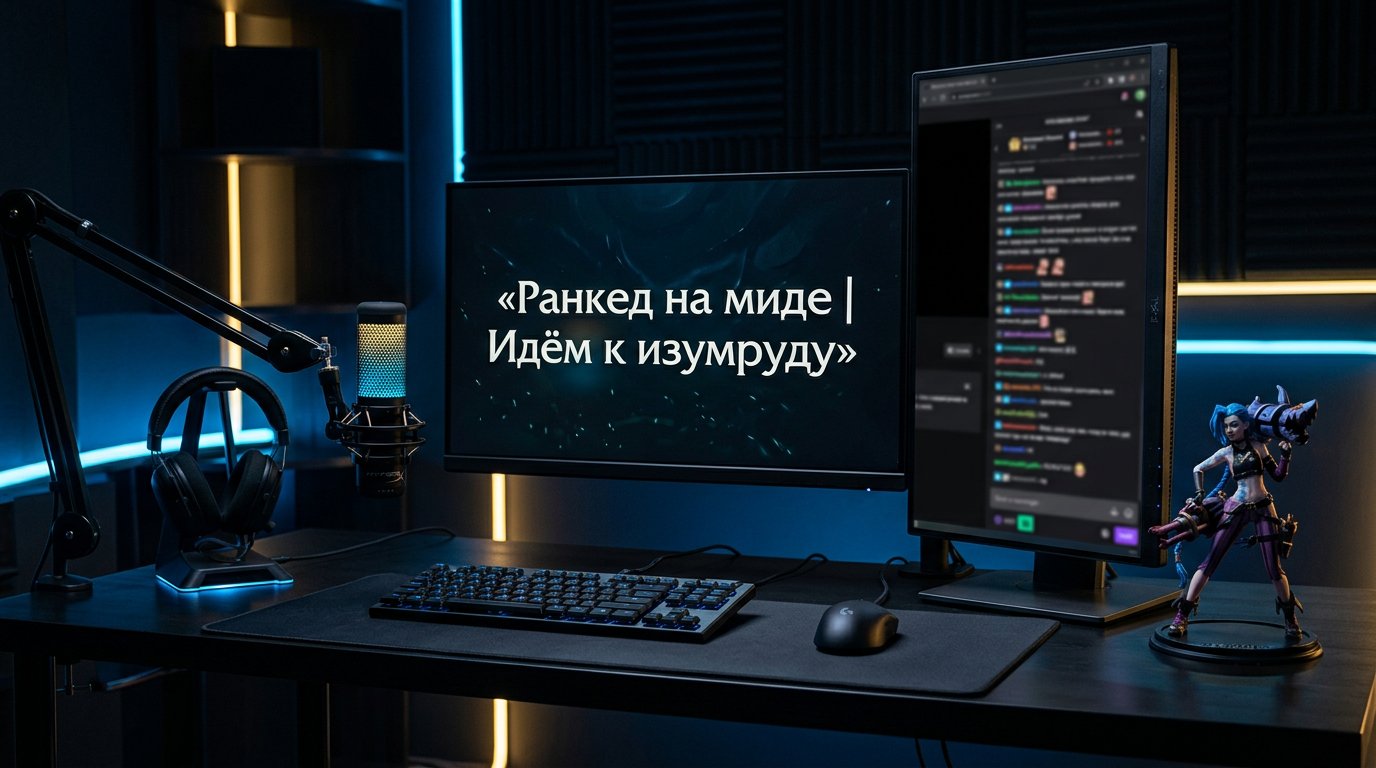
The option "Hey everyone, today we're trying something interesting in League of Legends again" says nothing about the content. "Mid ranked | Climbing to Emerald" immediately gives the mode, the direction of play, and the goal. "Viewer replay reviews | Mistakes in fights" just as clearly signals an analytical format.
The downside of a too-short title is that it easily gets lost among similar broadcasts. After the format, you need one meaningful detail, but not a full list of plans for the whole day.
What Elements to Add to the Title
Build the line from general to specific: format, then clarification, then goal or condition. You don't need to use all the elements at once. Keep only what helps the viewer decide whether the current stream is for them.
- Mode: ranked, normals, ARAM, arena, custom games.
- Topic: replay reviews, macro practice, coaching, build testing.
- Process goal: locking in our rank, practicing laning phase, finding positioning mistakes.
- Role or champion, if they define the content of most of the stream.
- Chat participation: lobby sign-ups, games with subscribers, viewer replays.
- Language, server, or region, if communication and joining games depend on it.
The downside of an overloaded construction is obvious: the viewer reads a set of parameters instead of meaning. Rank, server, five champions, hashtags, emojis, and a schedule in one line look like noise.
A Formula for Ranked, Custom Games, and Reviews
A working scheme looks like this: format + specifics + goal or condition. The specifics should describe what you'll be doing for a significant part of the upcoming segment, not an episode of a single match. That way the title can be changed between stream blocks without a full rewrite.
- Mid ranked | Locking in Emerald
- Jungle solo queue | Explaining decisions after the first clear
- Custom games with subscribers | Lobby sign-ups and captains from chat
- ARAM with viewers | Filling full teams
- Viewer replay reviews | Laning phase mistakes on top
- Macro review in solo queue | When to change lanes after turret
- Support coaching | Wards, timings, and roams in ranked
The downside of a template is monotony. If the same wording hangs there for weeks, a regular viewer can't tell the difference between streams. Change the clarification when the topic, mode, or participation conditions actually change.
How to State Rank and Goal Without False Promises
Rank helps assess the level of matches and the context of advice. It's worth writing when you're actually playing on that account and the rank value relates to the stream's content. The wording "Platinum | Heading to Emerald" is clearer than "hard climb."
It's better to describe the goal as a process: "heading to," "trying to hit," "locking in," "practicing." A series of matches is unpredictable, so don't promise a new division, a win streak, or a specific result by the end of the broadcast.
The downside of a rank label is that it quickly goes stale. After changing accounts, divisions, or switching to another mode, the title needs updating. Otherwise the viewer comes to the stream with the wrong expectation.
When Role and Champion Are Actually Useful
Role and champion work as a clarification, not as a mandatory part of every title. "Top on Camille | Learning to play the side lane" suits thematic practice, while "Support ranked | Roams and vision control" suits a stream with a clear focus on specific decisions.
It's better to put the champion's name in the title if you're playing them for most of the block or covering their mechanics, matchups, and builds. Don't call the broadcast "OTP Ahri" if you plan to switch characters after one or two matches. It's more accurate to write "Mid solo queue | Ahri in the first block" or not mention the champion at all.
The downside of a narrow title is that it filters out part of the audience interested in general League of Legends content. That's a fair price for hitting exactly the viewer with a specific request.
A Title for Coaching and Replay Reviews
Use the words "coaching," "coach," "review," and "explaining" only when the delivery matches. The viewer expects commentary on decisions, pauses for analysis, answers to questions, or consistent work with replays. Strong play without explanations doesn't become an educational format.
- Mid for beginners | Explaining decisions on the first waves
- Support coaching | When to place vision before an objective
- Macro in solo queue | Breaking down decisions after a won fight
- Viewer replays | Why the lane is lost against a ranged top
- Subscriber game review | ADC positioning in teamfights
If you only commentate your matches occasionally, it's more honest to write "playing with explanations." The downside of the word "coaching" is high expectations: the viewer will notice if questions go unanswered and key decisions aren't broken down.
Games with Subscribers and Custom Lobbies
In co-op games, the most important thing for the viewer is understanding whether they can get into the lobby and which mode is running. "Custom games with chat | Filling two teams" communicates this better than an abstract "playing with viewers." If ARAM is planned after ranked, you can list it as the next block, but only if the transition is really close.
Restrictions on queue, server, rating, voice chat, and participation rules are better placed in detail in the stream description or pinned in chat. In the title, keep one main condition: "lobby sign-ups," "games with subscribers," or "viewer replays."
The downside of this format is that part of the audience comes only to participate. After switching to solo ranked or a review, the title must be changed so you don't collect random clicks.
Language, Emojis, Caps, and Clickbait
The "RU" label, "Russian chat," or server region are useful when they affect communication or the ability to join a match. If the channel already speaks to a clear audience, such words take up space without noticeable benefit.
A single emoji can separate semantic blocks, but it shouldn't replace content. Caps, multiple exclamation marks, and phrases like "SENSATION," "BEST STREAM," "INCREDIBLE CLIMB" don't explain what's happening on stream. Clickbait brings random clicks but creates a gap between expectation and content.
A too-dry title has its downside too: "League of Legends ranked" is clear but doesn't stand out. Add the role, topic, goal, or stream condition without turning the line into an advertising slogan.
When to Update the Title During the Stream
Change the title at a noticeable transition to another block: you finished ranked and started custom games, turned off the game for replay reviews, switched to another account, or started a full coaching segment. A viewer who arrives mid-stream relies primarily on the current line.
There's no need to rewrite the title after every match, death, or champion change. An update is justified when the new format will last a noticeable amount of time. For a long stream, it's convenient to prepare options for ranked, custom games, coaching, and reviews in advance.
The downside of too-frequent changes is that the title starts reflecting minor events instead of the format. Keep a stable reference point while the stream's content stays the same.
Checklist Before Going Live
- The first words name the mode or topic: ranked, review, coaching, custom games.
- The clarification matches the upcoming stream block, not plans for the whole day.
- The title is understandable even if its end gets cut off in search results.
- The line contains no promises of rank, victory, or another result that depends on matches.
- The word "coaching" appears only where there will be real explanations.
- For custom games, it's clear whether sign-ups are open and whether viewers can join the game.
- After a noticeable format change, the title will be updated.
Last Articles
What has changed in design and functionality We have updated the website to make working with it faster and more convenient. The main changes affect ..
Good afternoon, I've collected all the news during this time.: 1. The main news is that prices for twitch viewers have been greatly reduced, while Tw..
1. Use promo code "December2025" for a 15% discount for all our viewers2. We have reduced the base prices for our configurator and the most affordable..
Twitch services are working stably, so we are ready to cooperate with squads, resellers, service owners, bot owners, and many others.Individual te..
We have completely updated our Twitch viewer services, and they are now working stably. We only use high-quality IP addresses for the viewers.The ..
Hello everyone! Today, we are announcing a new feature—"Twitch Viewer Configurator". Now, you can customize any plan for your Twitch channel. Choo..
Greetings, I have compiled a guide for streamers, which will be very relevant at the moment. Now YouTube and twitch have disabled monetization from vi..
We have finally developed the APINow it will be more convenient for our partner sites to work with us.To update the maximum tariffs for YouTube, an up..
Due to the huge popularity of the partnership services and referral program, we have made a cooperation table. The essence is very simple: more live a..
Our Services for Streamers








Our Services for Content Creators






