
Pinned Post in a Telegram Channel for a Streamer: Schedule and Links
Why a Pinned Post Needs a Schedule and a Main Link
A pinned post should quickly answer two questions: when the next stream is and where to watch it. A viewer may land in the channel after a clip, a recommendation, a raid, or an ad and may not want to dig through the feed for information. If the schedule and the stream link are at the top, the path to the broadcast becomes shorter.
A pinned post is navigation, not a detailed story about the channel. Don't add the project's origin story, a long bio, chat rules, and every platform where an account has ever existed. The main job of the post is to bring a person to the stream, to the recordings, or to a current announcement.
The first lines should work even without expanding the message. Put the next stream there, or a clear rule on where to find the broadcast time, and right next to it a link to the main streaming platform.
Structure of a Pinned Post for a Streamer
A convenient pinned post consists of short blocks in a single order. First, the viewer sees what's happening now or when the next stream is. Below that is the regular schedule or a link to the current schedule. After that come additional links.
- A short description of the channel's format.
- The next stream or a link to the latest announcement.
- The schedule with a time zone or a link to it.
- A direct link to the streams.
- Links to recordings and the community chat.
- A contact for business inquiries, if needed.
Don't mix the schedule, donations, rules, and social media links in a single block. When everything is gathered into one continuous list, the main button — the link to the stream — gets lost among secondary addresses.
A Single Pinned Post Template with a Schedule and Links
This template works for both a fixed and a floating schedule. Replace the text in square brackets with your own data and delete the lines you don't need. It's best to put links right after the label: the viewer won't have to guess where an address leads.
Template to Copy
Welcome to [channel name]. Here you'll find [games, segments, or stream format].
Next stream: [date], [time] [time zone].
Watch the stream: [link to the streaming channel].
Schedule:
[day] — [time] [time zone], [segment or game].
[day] — [time] [time zone], [segment or game].
[day] — [time] [time zone], [segment or game].
Stream recordings: [link to the archive or playlist].
Community chat: [link to the chat].
Support the channel: [link], if this section is really needed.
Business contact: [contact].
What to Change in the Template for a Floating Schedule
If stream times depend on work, tournaments, collabs, or content preparation, don't list dates weeks in advance. Instead of a block with days and times, leave two lines:
Next stream and time: in the channel's latest announcement.
Current schedule: [link to a separate post with the schedule or a calendar].
The downside of this option is obvious: the exact time isn't visible in the pinned post itself. Use it only when your schedule is truly unstable. If streams go out on the same days, list them right in the post.
How to Write a Schedule Without Confusion
The schedule should be readable at a glance: day, time, format. One stream — one line. Don't replace times with phrases like "in the evening," "after work," or "toward night": for viewers in other regions, such wording is useless.
Specify one main time zone next to the schedule heading or in each line, if needed for clarity. When the season and time change in your region, check whether the schedule display has changed for part of the audience.
- [day] — [time] [time zone]: [format].
- [day] — [time] [time zone]: [format].
- [day] — [time] [time zone]: [format].
Separate regular streams from special events. Ongoing playthroughs can stay in the main schedule, while tournaments, collabs, and marathons can go into separate announcements. That way you won't have to rewrite the pinned post after every non-standard stream.
How to Prioritize Links
The first link in the pinned post should lead to the main channel with streams. The second — to the current schedule, if it's kept separately. Then you can add the recordings archive and the chat. Leave links to additional social media only if there's content there or important communication for the viewer.
Label each address in simple words: "Watch the stream," "Recordings," "Chat," "Schedule." Don't publish a link without a label and don't replace the label with just an emoji. A person should understand the purpose of the link before clicking.
- Watch the stream: [link].
- Current schedule: [link].
- Stream recordings: [link].
- Community chat: [link].
- Business contact: [contact].
Too many links blur the main route. If a section is barely used, move it to a separate post or to the channel description.
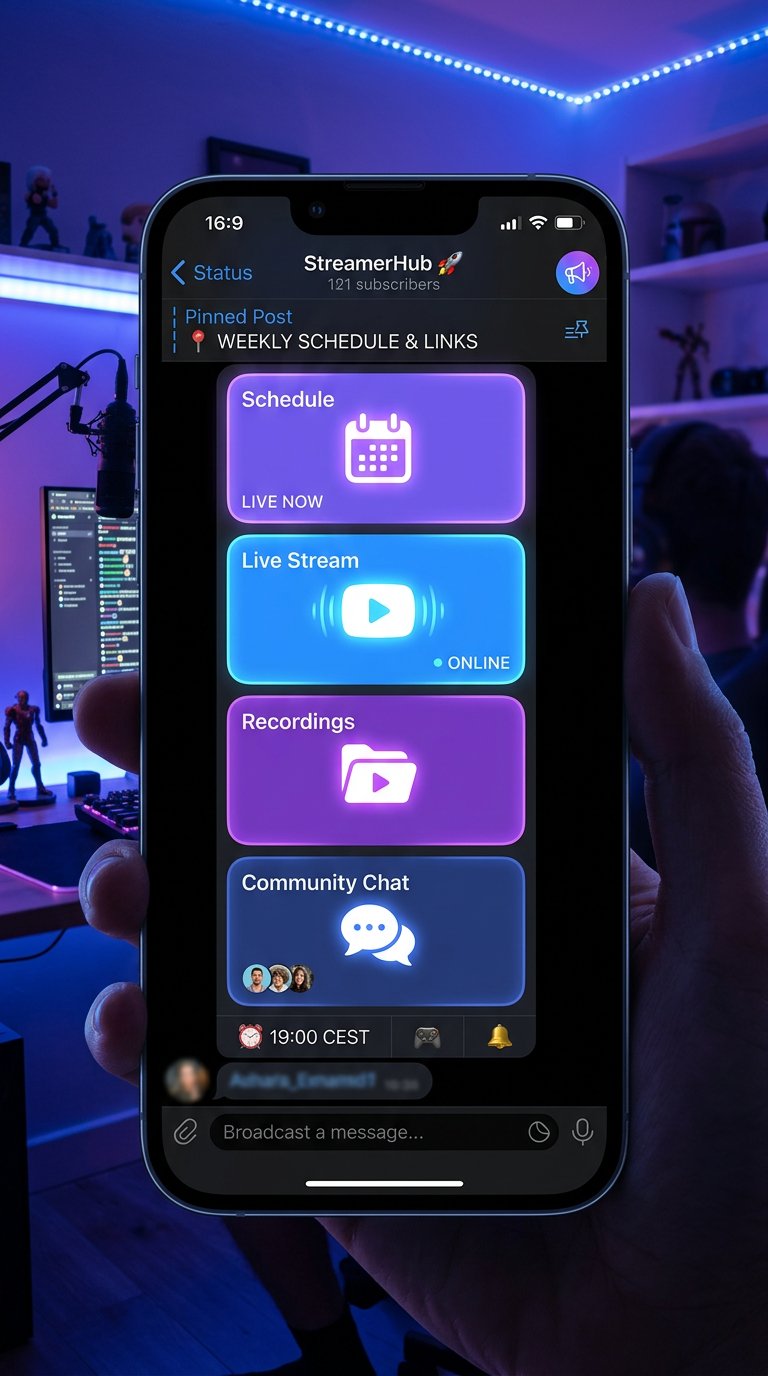
How to Format Text for Reading on a Phone
In Telegram, a pinned post is usually viewed on a phone, so a wall of text works poorly. Leave a blank line between the schedule and the links, use short labels, and keep the same block order after every update.
Emojis are acceptable as visual markers but not as a replacement for names. You can put one symbol before the "Stream," "Schedule," and "Recordings" sections if it doesn't hinder reading. Don't turn the pinned post into a set of identical icons: the viewer will take longer to find the line they need.
The most important information should fit at the start of the message. That's the next stream, the time with the time zone, and the link to the stream. Put everything else below.
Do You Need an Image with the Schedule
A card with the schedule works well for a regular schedule, especially if the channel has several recurring segments. It helps people quickly spot stream days in the feed and maintains a consistent announcement style. But a text schedule in the pinned post is still needed: it can be copied, found via search, and quickly fixed.
On the image, keep only the days, times, and segment names. Small text, long links, and a long list of platforms on a card can't be read from a phone. The links themselves should stay in the post text.
The downside of a card is obvious: after a reschedule it becomes outdated and has to be redrawn. If changes are frequent, it's better to use an image in the weekly announcement and keep text plus a link to the latest schedule in the pinned post.
How to Update the Pinned Post and Announcements Before a Stream
The pinned post holds the permanent navigation, while a regular announcement shares the details of a specific stream: date, time, game, guests, participation terms, and a direct link to the broadcast. Don't replace announcements with a single reference to the pinned post — it's easier for the viewer to go to the stream from a fresh publication.
When rescheduling, first update the next announcement, then check the pinned post. If the pinned post lists a specific date, change it right away. If the pinned post leads to a separate post with the schedule, update that post and make sure the link opens the right message.
- Remove the past date from the first lines of the pinned post.
- Check the time in the pinned post, the announcement, and on the streaming platform.
- Check the time zone after changing the stream time.
- Open all links from a phone and make sure they're accessible.
- After the stream, replace the temporary information with the next current date.
What to Check Before Pinning a Post
Open the message in the mobile version of Telegram and look at it as a new subscriber. At the start, the channel's topic, the time of the next stream or how to find it, and the link to watch should be clear. If you have to expand several blocks or search the channel to figure that out, the text should be shortened.
- The main link leads to a working streaming channel.
- The schedule contains days, times, and a time zone, or leads to the current schedule.
- The next stream matches the latest announcement.
- Recordings, chat, and other additional links open.
- The pinned post has no past dates, removed platforms, or empty blocks.
- The new version of the post is pinned instead of the old one.
Last Articles
What has changed in design and functionality We have updated the website to make working with it faster and more convenient. The main changes affect ..
Good afternoon, I've collected all the news during this time.: 1. The main news is that prices for twitch viewers have been greatly reduced, while Tw..
1. Use promo code "December2025" for a 15% discount for all our viewers2. We have reduced the base prices for our configurator and the most affordable..
Twitch services are working stably, so we are ready to cooperate with squads, resellers, service owners, bot owners, and many others.Individual te..
We have completely updated our Twitch viewer services, and they are now working stably. We only use high-quality IP addresses for the viewers.The ..
Hello everyone! Today, we are announcing a new feature—"Twitch Viewer Configurator". Now, you can customize any plan for your Twitch channel. Choo..
Greetings, I have compiled a guide for streamers, which will be very relevant at the moment. Now YouTube and twitch have disabled monetization from vi..
We have finally developed the APINow it will be more convenient for our partner sites to work with us.To update the maximum tariffs for YouTube, an up..
Due to the huge popularity of the partnership services and referral program, we have made a cooperation table. The essence is very simple: more live a..
Our Services for Streamers








Our Services for Content Creators






