
CS2 demo review on stream: how to keep the pace and engage chat
Define one goal for the review
A demo review becomes boring when the stream turns into a sequential watch-through of the match with occasional commentary. The recording is full of buys, waiting for contact, uneventful rounds, and searching for the right moment via rewinding. Even an interesting game quickly loses pace in this format.
Before going live, pick one main topic: defending a specific site, retakes, decision-making when outnumbered, economy play, utility usage, or mistakes in your own position. A single focus ties the episodes together. Trying to evaluate everything in one stream — aim, communication, tactics, and every player's actions — will only produce superficial conclusions.
The topic doesn't have to cover the whole match. You can review a few rounds where the same mistake repeats under different conditions. For example, an unnecessary peek after the bomb is planted, late help on site, or losing map control without information.
Choose a full match or a selection of rounds
A full watch-through works if you need to show how the game developed: how the economy shifted, what the opponent adapted to, why the team stopped taking a certain area. This format preserves context, but it has an obvious downside: the viewer will see many stretches where there's nothing to analyze.
A selection of episodes makes the stream denser. You can gather rounds with similar situations and quickly compare decisions: two retakes of the same site, several failed exits, or a series of rounds where the team gave up an advantage after the first frag. The downside of a selection is that without the neighboring rounds, some viewers won't understand the economy and the logic behind the choices.
A practical option is to give brief match context, then move on to the marked moments. Show the adjacent round only when the decision can't be explained without it. The demo should be material for conversation, not a backdrop for endless rewinding.
Build episode cards instead of a detailed script
You don't need text you'll have to read during the stream. A short card for each moment is enough: score, side, economy, player roles, the key question, and the takeaway. This structure helps you avoid repeating the same prep in different parts of the stream.
- Situation: map, score, buy composition, number of players.
- Available information: sound, radar, previous contact, ally positions.
- The fork: the decision to be evaluated.
- What to show: first-person view, overview camera, or the opponent's perspective.
- Practical takeaway: what to change in the next similar round.
Don't try to script an explanation for every frag. Useful questions may come up during the stream, and the episode itself sometimes unfolds differently than on first viewing. The downside of too loose a format is that it's easy to drift into excuses or discussion of secondary details. The card brings you back to the point.
Set timestamps and check your transitions
Watch the demo before the stream and mark the rounds you need. For quick navigation, it's enough to note the round number, the score, and a couple of words: "late retake," "exit without a flash," "save instead of an attempt," "good call on the fake." Separately mark the moments that need a replay from another camera.
Timestamps are for rhythm, not for perfect editing. When the next moment is known in advance, the transition takes a few seconds. If you have to search for a round for a long time, the viewer loses the thread of the discussion and switches to chat or other content.
Add one backup episode per topic. The main moment may turn out to be too short, debatable without extra context, or hard to read in the recording. The downside of backups is the temptation to show everything you prepared. If the point is already proven, it's better to move on to the next block.
Set up your scene for watching the demo
Before going live, open the demo in the client and check that playback, pause, rewinding, and camera switching work without delays. Make sure the capture includes the game window, not your desktop or stray notifications. If the recording needs to load or update, do that before the stream starts.
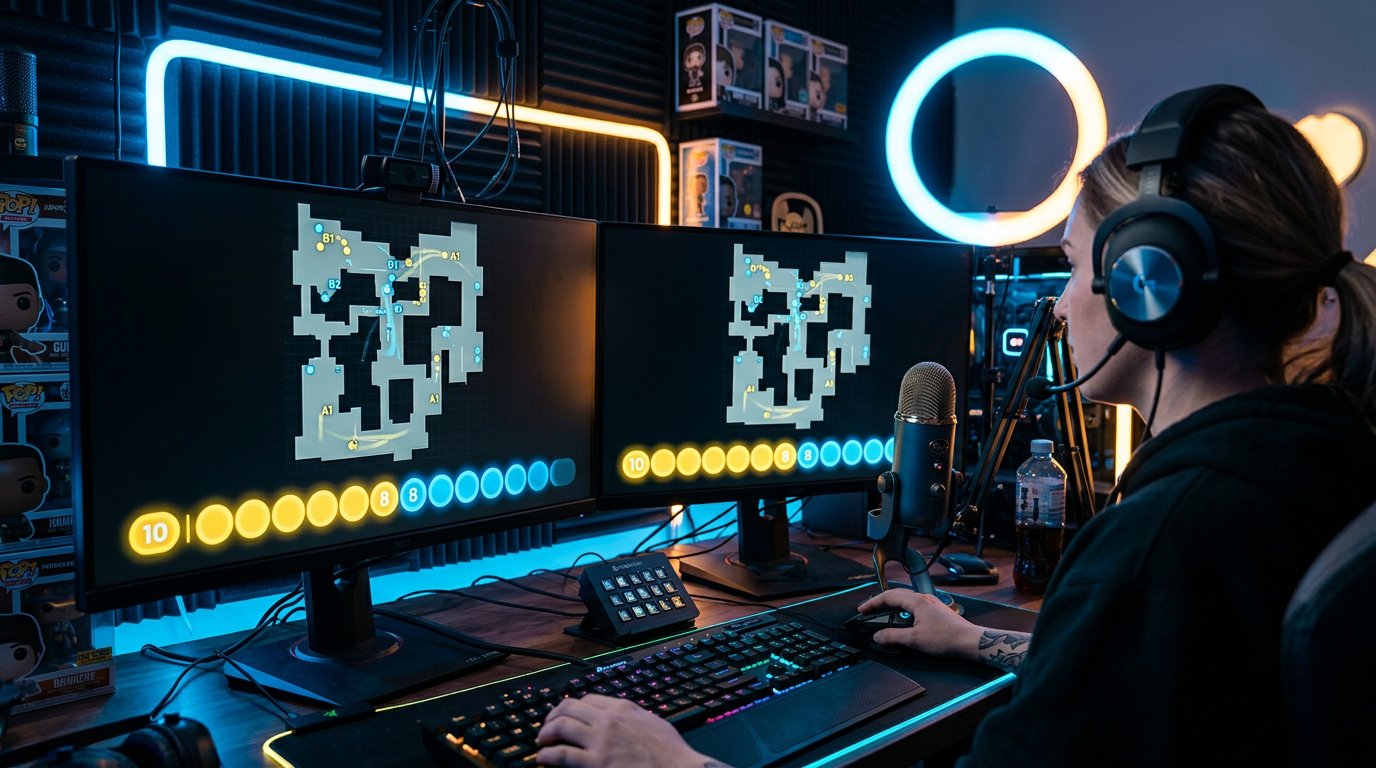
On the main scene, the viewer should see the radar, the timer, player positions, and key actions. The streamer's camera and chat can be useful, but they shouldn't cover the interface. Small tables, lists, and decorative frames usually get in the way: the viewer is watching the round, not the design.
Prepare a separate scene with camera and chat for short technical transitions. It helps if you need to open another demo or restore playback. The downside of such a scene is that frequent switching breaks immersion, so don't use it to replace proper navigation by timestamps.
Give context before starting a round
Before each episode, explain in a few phrases why it matters. State the score, the economy, your role, and the team's objective. If you're reviewing a retake, the viewer needs to know who's alive, where the bomb is, what utility remains, and how much time is left to act. Without this, even a good moment looks random.
A useful sequence for commentary: what the team knew, what decision it made, which detail the choice was built on, and what happened next. Don't narrate the recording second by second. Comment only on events that change the decision: a heard footstep, a player missing from the radar, a used smoke grenade, an ally's occupied position.
A long round start can be sped up to the first important signal. But if the subject of the review is a route, the timing of taking a position, or player distribution, you can't skip the beginning. The downside of constant jumping ahead is that the viewer stops understanding where the situation came from.
Pause the demo at the fork, not at the result
The best moment to pause is before an action with consequences: before a peek, an exit onto the site, a decision to go for a save, or the start of a retake. The viewer has time to see the setup and suggest an option. A pause after a player dies often comes down to an obvious comment that no longer explains anything.
Don't stop the recording after every frag. Frequent freeze-frames make the review choppy, especially when the round is clear without an extra diagram. Let the episode develop, and use the pause where there's genuinely a choice between several actions.
After the outcome, return to the question you posed before watching: did the decision work, could the player have gotten more information, was there an opportunity to trade. This way the viewer sees the cause-and-effect link, not just the result on the scoreboard.
Example of reviewing a retake episode
Suppose you're reviewing a round on defense: after the bomb is planted, two players from your team remain against two opponents. One ally is far away, you have a smoke grenade and a flash, and time is short. In the demo, you run onto the site without waiting, lose the first duel, and the round ends.
Before the pause, you can say: "Right now it's two versus two. We know one opponent was on the site, and the other recently made contact from the other side. I have a smoke and a flash, my ally hasn't arrived yet. Look at the timer: I'm choosing a fast exit. The question isn't whether I'll hit my shots, but whether this peek is needed right now."
Pause the recording before the exit and show the distance to your ally with the overview camera. Then lay out the options: wait for help and go in together, smoke off the likely position, try to isolate a single duel, or save the weapon if there's not enough time left. After continuing, don't stop at "should have waited."
A concrete takeaway might sound like this: "The mistake here isn't the lost aim duel. I'm going in alone into a position where I can be held from two angles, even though in a short time my ally will be able to trade me. In a similar retake, I first check the timer, then synchronize the exit and use utility before the first contact." The downside of this decision is that waiting may give the opponent time to take stronger positions. You need to say this out loud rather than presenting the option as universal.
Review the available information, not hindsight
In a demo, it's easy to see the opponent's setup through the overview camera and decide the right move was obvious. In the actual match, the player didn't have that information. An honest review separates what became known after the round from what could be understood from sound, radar, economy, and the opponent's actions.
First show the first-person view: what the player saw and heard, what messages they received, where their allies were. Then, if needed, switch on the overview camera to explain the consequences. The opponent's perspective is useful when you need to show the source of information or the timing by which a position was read.
The downside of frequent camera switching is that the viewer quickly loses orientation. Before switching, briefly state the goal: show the angle, the distance to help, the occupied passage, or the moment the opponent heard an action. After the explanation, return to the main round.
Talk about decisions, not just aim
The comment "missed" rarely benefits the viewer. It's far more important to understand why the duel started from an awkward position: no flash, an ally who couldn't trade, an angle already checked in previous rounds, no time left for a cautious play.
- Instead of general criticism, name the position, timing, or grenade that would have changed the situation.
- Instead of blaming an ally, show whether they could physically have made it to help in time.
- Instead of explaining "the opponent got lucky," break down what gave away your position.
- Instead of a long excuse, formulate an action for the next similar round.
It's useful to compare mistakes with good decisions. Show how in another round the team didn't take a risk after the first frag, fell back in time, or took a position for a trade. The downside of too many highlights is that the review turns into a montage of best moments and stops teaching through recurring problems.
Engage chat with specific questions
The phrase "what do you think?" gives chat too broad a reason to answer. It's better to ask a question tied to the current fork: "Would you wait for the second player here or go in right away?", "Is a save worth it with this much time left?", "Which grenade should be used first?", "Should you change position after the first contact?"
Ask the question before the pause, give chat a little time, and pick a few reasoned answers. Then state your own option and show how the round continues. You don't have to agree with the majority: interest comes from comparing the viewers' logic with what the player actually knew in the moment.
Don't turn chat into a vote on every action. Constant questions slow down the viewing and create new pauses. It's enough to leave points for participation in debatable episodes where there are genuinely several workable options.
Separate useful chat questions from random remarks
Viewers may ask you to replay a moment, switch to another camera, or explain a buy. Such requests are useful if they help unpack the block's topic. For example, a question about why an ally didn't make it to the trade is a reason to show the overview camera and the distance. A question about a random frag that doesn't affect the takeaway can be left unexplored.
It's convenient to set a rule: one replay of an episode on chat request, then move on. You can't keep returning to one moment forever — some viewers have already gotten the point, and the rest start arguing about details with no practical value.
If a question requires a separate review, save it for the next block or the next stream. The downside of this approach is that the answer gets delayed. But the main review doesn't fall apart into random topics and doesn't lose its set pace.
Use transitions between episodes
Rewinding doesn't always have to happen in silence. While the next round is opening, connect it to the previous one: show that the mistake repeated, compare two decisions in the same situation, or clarify a question from chat. The transition should add meaning, not just hide the search for the recording.
For example: "In the last round we rushed the retake without help. Now the situation is similar, but the team has two grenades and a player is already nearby. Let's see if we used that advantage." The viewer understands why the next episode is starting before the first frame.
The downside of conversational transitions is that they easily mask weak preparation. If finding the right spot takes a long time, even good commentary won't fix the problem. In that case, it's worth shortening the selection and marking the rounds more precisely.
Don't bring team conflicts into the review
The demo may show nicknames, text chat, private messages, private tactics, and voice communication. Before the stream, decide what can be shown and warn your regular teammates if a match or practice is being reviewed publicly.
It's better to discuss a failed round through interaction rather than by looking for someone to blame. Instead of "the teammate threw it all away," break down who had what information, whether there was a call, whether there was enough time to help, and why the trade didn't happen. This way the viewer gets a gameplay takeaway instead of watching a conflict.
If an episode involves a personal argument, private preparation, or someone else's data, it's better to skip it. The downside of skipping is that you might lose a vivid moment. But a public quarrel usually lowers the quality of the stream more than the absence of one round.
Change the topic after a few connected moments
It's better to build one block around one problem and several examples: first a failed retake, then a similar retake with proper synchronization, then a debatable moment for chat. Once the point is made, change the topic: move from site defense to economy, from individual peeks to working with information.
- Briefly state the block's topic and the match context.
- Show an episode with a specific mistake or a strong decision.
- Pause the demo before the key fork and bring in chat.
- Show the consequences with the right camera.
- Formulate one action that can be carried into the next game.
- Connect the next episode to the previous one or change the topic.
This order doesn't require a rigid script and doesn't force you to go through rounds in sequence. It helps maintain a clear structure: the viewer sees what's being reviewed now, why this episode was chosen, and what exactly is worth remembering.
Last Articles
What has changed in design and functionality We have updated the website to make working with it faster and more convenient. The main changes affect ..
Good afternoon, I've collected all the news during this time.: 1. The main news is that prices for twitch viewers have been greatly reduced, while Tw..
1. Use promo code "December2025" for a 15% discount for all our viewers2. We have reduced the base prices for our configurator and the most affordable..
Twitch services are working stably, so we are ready to cooperate with squads, resellers, service owners, bot owners, and many others.Individual te..
We have completely updated our Twitch viewer services, and they are now working stably. We only use high-quality IP addresses for the viewers.The ..
Hello everyone! Today, we are announcing a new feature—"Twitch Viewer Configurator". Now, you can customize any plan for your Twitch channel. Choo..
Greetings, I have compiled a guide for streamers, which will be very relevant at the moment. Now YouTube and twitch have disabled monetization from vi..
We have finally developed the APINow it will be more convenient for our partner sites to work with us.To update the maximum tariffs for YouTube, an up..
Due to the huge popularity of the partnership services and referral program, we have made a cooperation table. The essence is very simple: more live a..
Our Services for Streamers








Our Services for Content Creators






