
Viewer Tournament in Among Us: Format, Points, and Standings
Format of a Viewer Tournament in Among Us
For a stream, it's more convenient to run the tournament as a series of matches with an overall standings table. All participants play a pre-announced number of games or get an equal number of slots in the lobby. After each match, points are added to the ranking, and viewers can see who is moving into the lead and how many games remain.
This format doesn't require a complex bracket and allows you to bring in reserves. Its drawback is that the organizer needs to record every result precisely. If you award points from memory at the end of the broadcast, errors and disputes are almost guaranteed.
How Many Players and Matches to Plan
First, determine the capacity of a single lobby, the number of confirmed players, and the time buffer. If there are more people who want to play, split them into groups and specify in advance the order in which they play. A participant should understand how many matches they will get and whether a reserve can make it into the main roster.
You don't have to give every player a spot in every game. You can run several blocks where participants rotate after a match, but then you must indicate the number of games played in the table. The drawback of rotation is that a leader with more matches may look stronger, even though they simply had more opportunities to earn points.
- The main roster includes confirmed players.
- Reserves are needed for latecomers, dropouts, and no-shows.
- Each match gets a sequential number.
- A check-in time is assigned in advance for each group.
- Substitution conditions are published before registration.
Participant Registration and Reserve List
It's best to open registration before the broadcast via a form, a Discord server, a chat bot, or a post in the community. Collect the in-game nickname, contact method, confirmation of participation, and a note about voice communication availability if it's needed for matches.
Sign-ups from chat alone work for a one-off friendly game but poorly for a tournament. Some viewers won't see the message, someone will join too late, and you'll have to look for reserves during the broadcast. Advance registration requires preparation, but it reduces pauses between matches.
- Specify the start time and time zone.
- State how many games are planned for each participant.
- Announce whether a microphone and voice channel are required.
- Collect reserve players separately.
- Warn when a slot passes to a reserve.
- Ask participants to arrive before lobby check begins.
Lobby Assignment and Substitution Order
Random lobby assignment usually looks the fairest: the host publishes the group lists and then invites participants in order. If several blocks are run, rosters can be shuffled between matches. This reduces the risk of the same people constantly playing with each other.
The drawback of random assignment is that strong players may end up in the same room by chance, while friends end up in different groups. Don't fix this manually without a clear rule: such rearrangements are easily perceived as favoritism.
The active lobby roster is not changed during a match. If a player disconnects, a substitute only enters the next game. The table or log notes who missed the match, who came in as a substitute, and from which game number they participate.
Match Rules and Room Settings
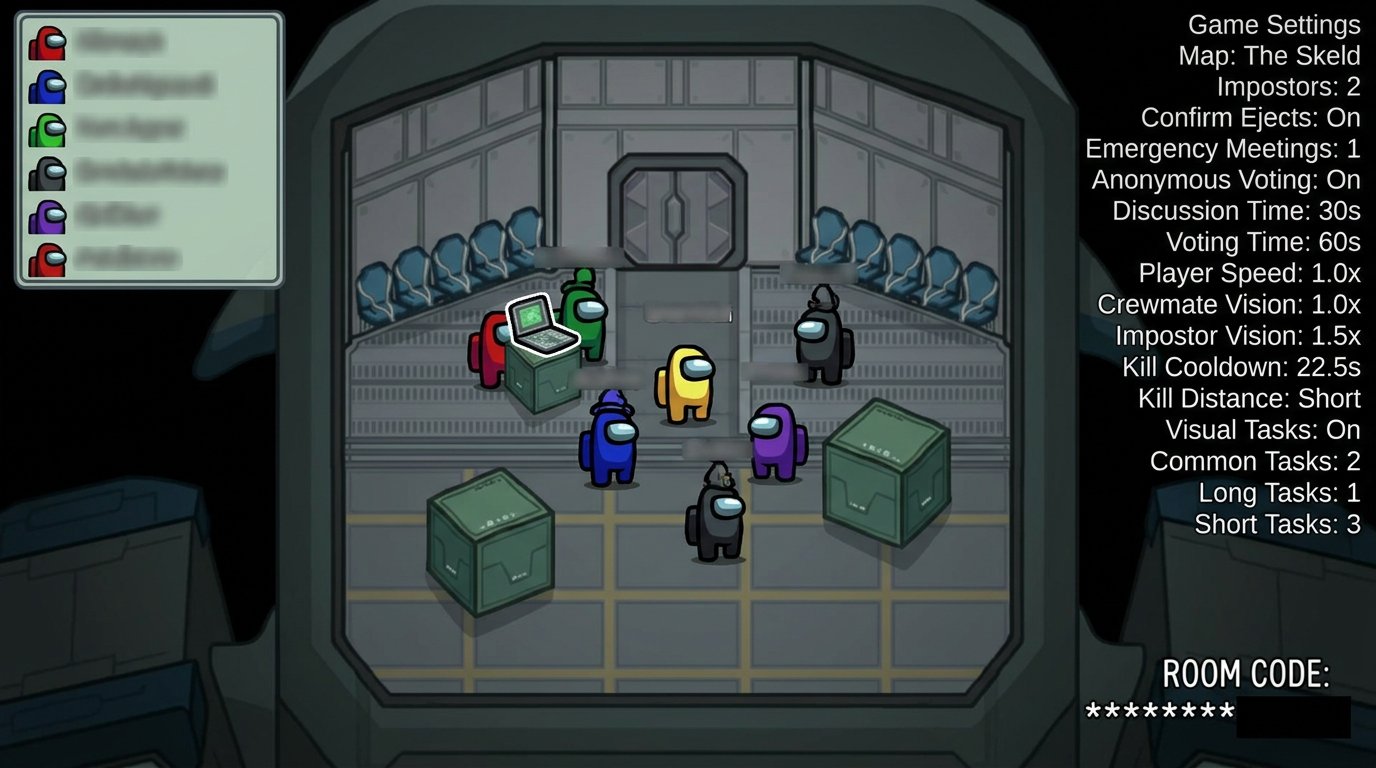
Before the start, publish a short rulebook: when players are allowed to talk, what is prohibited after death, how a win is recorded, and who makes decisions in a disputed situation. Separately show or list the room settings: map, roles, number of impostors, tasks, emergency meetings, voting anonymity, and other active parameters.
It's best to check the settings in a test match. Too-short discussions don't give players a chance to explain their arguments, and too many roles complicate both judging and scorekeeping. The drawback of a trial game is that it takes time before the broadcast, but it helps avoid changing the rules after the very first match.
- During the live phase, you may not discuss what's happening in the voice channel.
- Talking is allowed during meetings and after the match ends.
- After death, you may not reveal your role, position, or information about other players.
- Hints via private messages and third-party calls are prohibited.
- You may not intentionally leave a match without approval.
- The host or an appointed judge makes the decision on a dispute.
Protection Against Stream Sniping and Chat Hints
Players must not watch the stream during their match. The broadcast can reveal the impostor's role, crew locations, voting progress, sabotage, or the room code. It's better to send lobby invites on a separate scene and pass the code to participants in a private channel.
A stream delay provides additional protection for the match, but chat will react to events later. If a delay doesn't suit the format, you'll have to more strictly hide the screen when entering the lobby and make sure participants don't use the stream as a source of information.
Moderators warn chat in advance: you may not write who the impostor is, where a kill occurred, who was seen in a vent, or what's happening on a specific player's screen. A warning is enough for an accidental spoiler, but repeated hints require restricting chat until the end of the tournament.
Point System for the Overall Ranking
For a first tournament, a scheme works well where the main point is awarded for a side's victory, and the bonus depends only on a clear fact — whether the player survived or not. Don't add points for kills, successful accusations, and sabotages: such actions are hard to verify consistently in every match, and disputes over them will take more time than they add accuracy to the ranking.
A workable scheme looks like this: a side's victory earns 3 points for each of its members, regardless of whether they are alive or died earlier. A player on the winning side who survives to the final screen gets 1 additional bonus point. The losing side gets 0 points. Death itself doesn't deduct points: a fallen member of the winning team still gets 3 points.
- Crew victory: 3 points for each crew member.
- Impostor victory: 3 points for each impostor.
- Surviving to the end of the match on the winning side: 1 point.
- Losing side: 0 points.
- Death before the end of the match: no survival bonus is awarded.
- Leaving without a valid reason: 0 points for the match.
- Confirmed violation: warning, point deduction, or disqualification per the rulebook.
Why You Shouldn't Award Points for Tasks and Kills
A bonus for completing all personal tasks seems logical, but it depends on how early a player died, which tasks they were assigned, and which settings were chosen in the lobby. Points for kills are even more problematic: an impostor may deliberately take risks for their personal score, even though the team would be better off playing cautiously.
If you want to add a separate personal metric, track it outside the main ranking: for example, note the number of survivals or crew wins. Such a metric can be shown to viewers as statistics, but it shouldn't determine a place in the tournament standings. The drawback of additional statistics is that they also need to be verified after every game.
Example of Point Calculation After One Match
Suppose the crew won by completing tasks. Player Red died in the middle of the match but was on the crew team: they get 3 points for the victory. Player Blue survived to the final screen: they get 3 points for the victory and 1 point for survival, 4 total.
Impostor Green lost and was alive at the end of the game. They get 0 points because the survival bonus only applies to the winning side. This rule is important to state in advance: otherwise viewers may think that any survivor should get an additional point.
If the impostors won, the calculation is mirrored. Each impostor gets 3 points, and an impostor still in the game at the final screen gets 1 more. Crew members get no points on a loss, even if one of them survived.
Standings Table and Its Columns
It's more convenient to keep the table in a shared document accessible to the host, the judge, and the person responsible for scoring. For the broadcast, prepare a separate version without internal notes: it can be shown on screen between matches, posted in Discord, or sent as a chat message.
The minimum table should show not only the final points but also the number of matches. Otherwise, a viewer won't understand why two players with the same number of wins are in different places. To verify a result, it's useful to keep separate columns for wins and bonuses.
- Place — the player's position in the overall ranking.
- Nickname — the participant's in-game nickname.
- Matches — how many games have been played.
- Wins — the number of matches where the player's side won.
- Bonuses — points for survival in won matches.
- Penalties — points deducted for violations, if applied.
- Total — the result: wins multiplied by 3, plus bonuses minus penalties.
Example Table After Two Matches
The example below shows the structure of the ranking. Red has two wins and two survivals: 6 points for wins and 2 bonus points, 8 total. Blue has one win and one bonus: 3 plus 1, 4 total. Yellow has no wins, so their one played match gives no points.
- 1 — RedSuit — 2 matches — 2 wins — 2 bonuses — 0 penalties — 8 points.
- 2 — BlueSuit — 2 matches — 1 win — 1 bonus — 0 penalties — 4 points.
- 3 — GreenSuit — 2 matches — 1 win — 0 bonuses — 0 penalties — 3 points.
- 4 — YellowSuit — 2 matches — 0 wins — 0 bonuses — 0 penalties — 0 points.
After each match, add a separate row to the internal sheet: game number, roster, winning side, survivors, disconnects, substitutions, and sanctions. The public leaderboard is then updated from this log. The drawback of a public table is that an error immediately becomes noticeable, so it's checked against the final screen before being shown.
Tied Points and Tie-Breakers
Tie criteria must be stated before the first match. A suitable order: more wins, then more survival bonuses, then an additional game. If players have played a different number of matches due to a substitution or a technical issue, compare the average points per match first.
A tie-breaker cannot be invented after the final table is published. An additional match works well for fighting for first place but can drag out the broadcast. For places below the prize or final spots, it's better to use pre-announced metrics rather than running separate games for every tie.
Recording Match Results
After each game, save confirmation of the result before leaving the lobby. Usually a screenshot of the final screen with the winning side and the player list is enough. If a stream recording is available, add the match number and the timestamp of its end to the log.
Don't put off filling in the table until the end of the stream. While participants connect to the next lobby, the judge or an assistant enters the result, the host briefly announces the ranking changes, and the moderator watches the chat. This creates a pause with clear content instead of silent waiting.
- Take a screenshot of the final screen.
- Record the match number and the lobby roster.
- Note the winning side.
- Separately list the surviving players on the winning side.
- Record disconnects, substitutions, and technical pauses.
- Update the public table before starting the next game.
Disconnects, Latecomers, and Disputed Situations
Rules for technical problems are needed before the start. If a player disconnects during lobby gathering, a reserve replaces them. If a disconnect happens during a match, no substitute is placed into the current game: a new player must not enter the game with someone else's role and incomplete information.
A rematch is justified when a disconnect clearly affected the outcome: for example, an impostor dropped, or a player dropped at a decisive voting moment. The drawback of a rematch is that it disrupts the schedule and doesn't always restore the original suspense. If the impact is unclear, it's better to record the match and handle the technical case separately.
When there's a complaint about stream sniping, collusion, or a prohibited hint, the judge first collects timestamps, moderator messages, and screenshots. The decision is announced briefly: no violation, a warning issued, points deducted, a technical loss awarded, or the player disqualified. A long public investigation turns the tournament into an argument with chat.
Roles of the Host, Judge, and Moderators
The host announces the match order, shows the table, and keeps the broadcast pace. The judge makes decisions on violations and confirms results. A separate assistant keeps the match log and awards points. The chat moderator removes spoilers, insults, the room code, and messages with hints for players.
On a small stream, the organizer can combine roles, but this is a risky option. During an intense game, it's hard to simultaneously play, commentate, read chat, count points, and review a complaint. Even one assistant who keeps the table or moderates chat noticeably reduces the number of errors.
Chat Moderation During the Tournament
Before the start, pin a short message: no spoiling the match, no hinting to players, no posting the room code, no insulting participants, and no discussing possible roles before the game ends. The moderator should delete such messages immediately rather than wait for a hint to affect voting or actions in the lobby.
A warning is enough for an accidental violation. For a repeated spoiler or an obvious attempt to pass information to a player, chat restriction is applied until the end of the tournament. For posting the room code, circumventing restrictions, or insulting a participant — a stricter measure per the channel rules. The drawback of strict moderation is that some viewers may consider it excessive, so sanctions should be the same for everyone.
After the final match, show the table once more, name the winner, the tie-breaker if needed, and the deadline for reporting a scoring error. In the results post, state the next step: whether registration for a new tournament will open, when the announcement will appear, or where viewers can submit an application. This helps maintain interest without making promises that the organization hasn't yet confirmed.
Last Articles
What has changed in design and functionality We have updated the website to make working with it faster and more convenient. The main changes affect ..
Good afternoon, I've collected all the news during this time.: 1. The main news is that prices for twitch viewers have been greatly reduced, while Tw..
1. Use promo code "December2025" for a 15% discount for all our viewers2. We have reduced the base prices for our configurator and the most affordable..
Twitch services are working stably, so we are ready to cooperate with squads, resellers, service owners, bot owners, and many others.Individual te..
We have completely updated our Twitch viewer services, and they are now working stably. We only use high-quality IP addresses for the viewers.The ..
Hello everyone! Today, we are announcing a new feature—"Twitch Viewer Configurator". Now, you can customize any plan for your Twitch channel. Choo..
Greetings, I have compiled a guide for streamers, which will be very relevant at the moment. Now YouTube and twitch have disabled monetization from vi..
We have finally developed the APINow it will be more convenient for our partner sites to work with us.To update the maximum tariffs for YouTube, an up..
Due to the huge popularity of the partnership services and referral program, we have made a cooperation table. The essence is very simple: more live a..
Our Services for Streamers








Our Services for Content Creators






