
Safe Escape from Tarkov Streaming: Delay, Scenes, and Data Protection
What Data Viewers Can Use Against You
In Escape from Tarkov, your character's current position isn't the only danger. A stream sniper benefits from the matchmaking start time, the selected map, the group composition, the starting direction, the route to an objective, your weapon, your movement pace, and your expected extract. Even if a viewer doesn't know your spawn point, they can piece together the raid time, the sound of gunfire, and your commentary.
Some information remains useful even after your character dies. A consistent route to a quest zone, a habitual extract, a loot stash, or a repeating entry pattern make your future raids predictable. You also need to protect data outside of combat: nicknames, group invites, your friends list, stash contents, and notifications from other programs.
Set Delay Based on Raid Duration
For regular raids, a reasonable starting point is a delay of three to five minutes. It already makes the picture outdated for a viewer who tries to quickly reach your position after watching the stream. A delay of less than two minutes often doesn't solve the problem: an opponent can see your movement direction, catch up along your route, or take the extract before you.
If stream sniping is already recurring, you can increase the delay to eight or ten minutes. This option better hides the course of the raid, but it distances chat from what's happening even more. While a viewer is writing about a firefight, you may already be dead, off the map, or sorting loot in your stash. For a stream with active interaction, this is a noticeable drawback.
Match the delay to the remaining raid time. If less time remains until extract than your delay, viewers will see the route only after you've left the map. But if the raid is long and you stay in one zone for several minutes, even five minutes may not be enough: a viewer will have time to figure out where you usually go next. In such cases, it's more important to vary your actions than just to increase the delay.
Don't Reveal the Map, Matchmaking Time, or Pre-Raid Plans
Don't state the exact delay value, don't show the moment matchmaking starts, and don't announce the map before loading. It's easier for a viewer to land in the same raid when they know the region, the start time, and the group composition. Even without a direct announcement, such details can be given away by your conversation with teammates, the preparation screen, or a habitual sequence of actions.
Don't spell out your plan too far ahead: "first I'm going to the boss, then to this extract" or "after the quest I'll come back through this point." In Tarkov, the route often changes because of spawns, gunfire, and loot, so you can comment on decisions you've already made. The drawback of this approach is that the stream becomes less convenient for viewers who expect a detailed breakdown of every step in real time.
What to Hide in the Lobby, Group, and Stash
The Tarkov lobby can show more than it seems. Before a raid, viewers see the selected map, time of day, group nicknames, invites, and sometimes the team composition. Nicknames are especially important: they can be used to look up accounts, message teammates, track their streams, or try to get into a raid through shared matchmaking.
In the stash, you don't necessarily have to hide your entire inventory, but you shouldn't show messages, friend requests, DMs, the profile screen, and account settings unless necessary. When trading and preparing for a raid, a viewer can also figure out what gear you'll take and which objective you're heading for. The drawback of constantly hiding menus is that viewers won't see weapon builds and stash organization if that's part of the content.
To show builds and loot, use the moment after a completed raid or a separate scene with a cropped game area. That way you can keep weapons and inventory in frame but remove the friends list, notifications, and elements unrelated to the breakdown.
Control the Loading Screen and Post-Raid Windows
The map loading screen confirms the selected location to viewers and helps them match the broadcast to matchmaking. With a short delay, that's enough to try to connect right after you. It's safer to switch to a pause scene before matchmaking starts and keep it until your character appears on the map, especially on streams where viewers have already tried to find you.
After death or extracting from a raid, don't rush to put the game back on stream. The results screen can show the killer's nickname, group data, raid time, and the circumstances of death. The opponent's nickname alone isn't always a secret, but publishing it can lead to harassment or viewers trying to find the player. The drawback of delaying the post-raid screen is that reactions to a good or bad raid will be less immediate.
Capture the Game Window and Prepare a Safe Scene
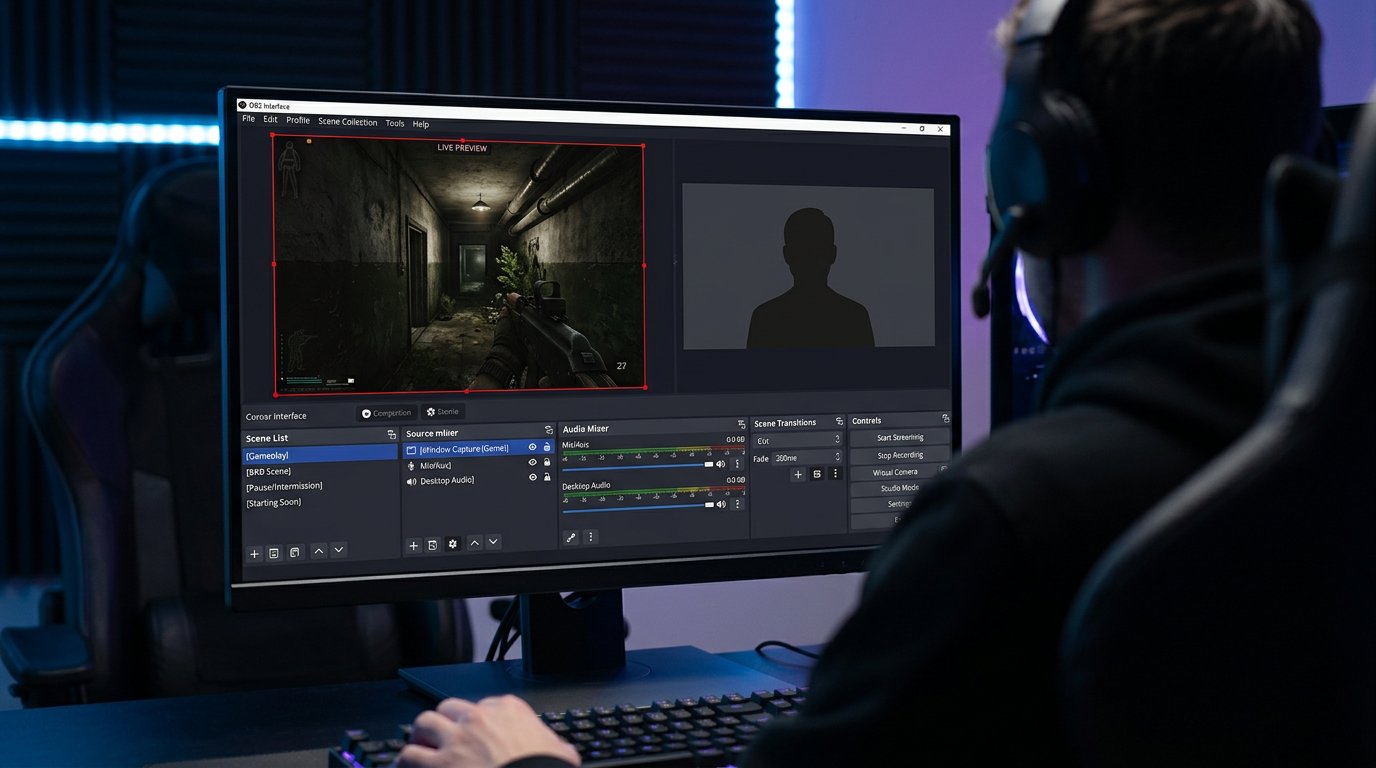
For Tarkov, it's better to set up capture of the specific game window rather than the entire monitor. That way, when you minimize the client, open the launcher, or accidentally click on a second screen, viewers won't see your desktop, personal messages, browser, and verification codes. This is especially important when restarting the game after an error or update.
Window capture has a drawback: after changing the screen mode, updating the client, or an OBS glitch, the source may show a black screen or stop capturing the game. Check it before going live and after major changes. Don't add display capture to the raid scene "just in case" — it's often the backup source that exposes your desktop.
Create a separate safe scene for matchmaking, pauses, loading, and technical issues. It can include a camera, a neutral background, and a text block, but not a browser window, display, messenger, or broadcast control panel. Assign a separate hotkey and verify that it triggers without delay.
Set Up Voice Communication Without Position Cues
Team voice often gives away more than the picture. A teammate may name the exact room, direction, number of opponents, extract status, or where your body is lying. With delayed video, this is still dangerous if the voice goes to the stream without the same delay: viewers will hear the current callout before they see the events.
The best option is to route team audio through the broadcast along with the overall stream delay. If the audio is added as a separate source or through an external route, check synchronization on a test recording. The drawback of a shared track is that extra remarks, personal conversations, and emotional conflicts within the group may end up on stream.
You can choose not to output teammates' voices to the stream and leave viewers with only your microphone. Then you don't reveal others' nicknames, positions, and comms. The drawback is direct: viewers have a harder time understanding team decisions, and your responses may sound like talking into the void. Before a raid, agree on which location names and plans must not be spoken until the situation is over.
Don't Turn Loot and Quests Into a Route Forecast
A rare item in your backpack doesn't reveal your position by itself, but comments after finding it can give away your next path. Remarks about the nearest extract, an objective in the neighboring zone, a stash, or meeting a teammate give viewers a clear scenario. It's especially risky to repeat the same pattern after a lucky spawn.
Comment on a decision after changing position or after the raid ends. Instead of the exact name of your current location, you can explain the logic: why you're not going toward the noise, why you're changing your route, or why you're extracting early. The drawback is that the format becomes less useful as a step-by-step guide, since some of the specifics appear late.
Set Up Chat Against Tips and Coordination
Viewers may accidentally or intentionally help a stream sniper. A message about your location, an opponent's nickname, the matchmaking start time, or a possible extract remains visible to everyone until it's deleted. Don't read such messages aloud: even a denial often repeats dangerous information for those who missed it.
- Prohibit messages about your current position, route, and extracts.
- Delete tips about opponents if they relate to the ongoing raid.
- Don't allow players' and teammates' nicknames to be published without their consent.
- Ask moderators to hide messages about attempts to get into the same raid as you.
- If attacks recur, restrict chat during the raid or enable slow mode.
The drawback of strict moderation is that some regular viewers may find it excessive. It's better to pin the rules in the channel description or a chat message and apply them consistently, without arguments during combat.
Check the Broadcast Before Matchmaking
Before going live, make a short local recording and watch it as a viewer. Check not only the raid picture but also the transitions: launching the launcher, joining a group, loading the map, minimizing the client, character death, and returning to the stash. These are the moments when extra windows, nicknames, and notifications most often appear.
- Open the raid scene and make sure only the Tarkov window is being captured.
- Switch to the safe scene with the hotkey and check that the desktop doesn't appear in frame.
- Start matchmaking and see whether the screen with the map and start time is hidden.
- Check that the delay is enabled before matchmaking starts, not after you appear on the map.
- Ask a teammate to say regular callouts and make sure the audio doesn't come out ahead of the video.
- Look at the post-raid screen: nicknames, results, and notifications shouldn't appear without your control.
The most common leak happens not in a firefight but when transitioning between a raid, the lobby, and the desktop. If you urgently need to open a browser, settings, or a personal message during a stream, switch to the safe scene first and only then switch out of the game.
Last Articles
What has changed in design and functionality We have updated the website to make working with it faster and more convenient. The main changes affect ..
Good afternoon, I've collected all the news during this time.: 1. The main news is that prices for twitch viewers have been greatly reduced, while Tw..
1. Use promo code "December2025" for a 15% discount for all our viewers2. We have reduced the base prices for our configurator and the most affordable..
Twitch services are working stably, so we are ready to cooperate with squads, resellers, service owners, bot owners, and many others.Individual te..
We have completely updated our Twitch viewer services, and they are now working stably. We only use high-quality IP addresses for the viewers.The ..
Hello everyone! Today, we are announcing a new feature—"Twitch Viewer Configurator". Now, you can customize any plan for your Twitch channel. Choo..
Greetings, I have compiled a guide for streamers, which will be very relevant at the moment. Now YouTube and twitch have disabled monetization from vi..
We have finally developed the APINow it will be more convenient for our partner sites to work with us.To update the maximum tariffs for YouTube, an up..
Due to the huge popularity of the partnership services and referral program, we have made a cooperation table. The essence is very simple: more live a..
Our Services for Streamers








Our Services for Content Creators






