
A League of Legends Replay Review Stream Without Dead Air
Pick one topic for the review
A replay review rests not on the match itself but on clear commentary logic. If you just turn on the recording and react to what's happening, the viewer will quickly run into long rotations across the map, farming with no events, and pauses in speech. Before the stream, decide what exactly is being reviewed: player mistakes, team decisions, macro, matchups, preparation for objectives, or a specific role.
It's better to build one stream around one main topic. Instead of a general jungler review, take, for example, losing tempo after a failed gank. Instead of an overview of support play, take vision setup before dragon. That way it's easier to pick replays, cut unnecessary episodes, and bring the conversation back to the main point.
Choose a format and account for its weak spots
Reviewing your own game gives more context: you can explain your thoughts in the moment, communication mistakes, and the reasons behind a decision. The downside of this format is that the stream easily turns into justifying your actions or looking for someone to blame. It's more useful to agree with yourself in advance: what's being evaluated is the available information, the options, and the consequences, not the skill level of teammates.
- A full game is good for deep analysis, but it inevitably has many quiet stretches.
- A highlight reel keeps the pace but shows less clearly why the team ended up making a mistake.
- Comparing two similar situations clearly explains a choice but requires preparation and precise timestamps.
- Reviewing a subscriber's replay adds engagement, but the quality of recordings and player skill can vary widely.
- A stream with a guest creates dialogue, but a co-host can steer the discussion far away from the episode.
Gather replays and backup episodes in advance
Don't search for a match while already live, don't scroll through match history, and don't decide on the fly whether a recording works. While tabs are opening and a replay is being chosen, chat is left with nothing to watch. Before the broadcast starts, check that recordings launch, the viewing order, the client capture, and the right spectator mode.
Prepare a main set and a backup. The main set can have two or three games on the topic, and the backup can have short episodes covering a few decisions: a bad reset, a lost wave, a late arrival at an objective, a mistake with teleport. The backup covers a technical failure or a situation where the discussion ended sooner than expected. The downside of such a reserve is that it easily turns into a disjointed montage if the moments aren't tied together by a common theme.
Set timestamps and label the task for each one
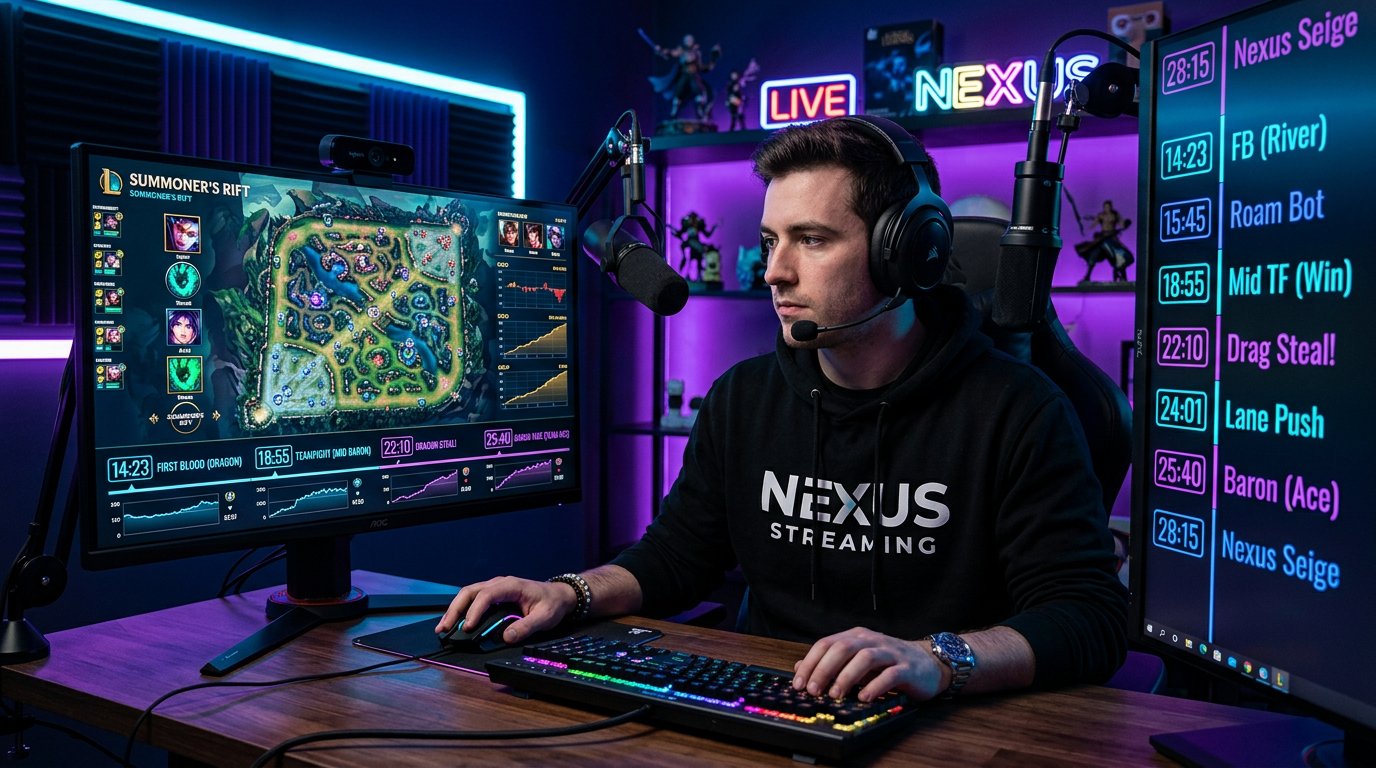
A full match rarely needs to be watched from the first second to the last. Mark the first trade, the jungler's route, the state of the waves before an objective, resets, lane swaps, vision setup, fights, and the decisive push. Next to each timestamp, leave a short note: "check bot lane priority," "compare two resets," "show why you can't walk into the river."
Such a note is especially useful in a long game. It keeps you from freezing in front of the screen wondering what exactly to commentate here. The downside of too rigid a plan is that you might miss a detail chat noticed. Leave room for tangents, but after the discussion, return to the next pre-selected point.
Prepare phrases for kicking off the analysis
A boring pause often appears not because nothing is happening in the game, but because the commentator hasn't yet chosen an angle for the review. For each important episode, it helps to have a few opening formulations. They're not meant to be read off a script: they're anchors that immediately give the viewer a direction.
- First, state the information available to the player before the decision.
- Then name the safe and risky options.
- After that, assess the cost of the mistake: wave, objective, summoner spell, position, or tempo.
- Separately note the action that could have been performed without perfect mechanics.
- Finally, connect the episode to an earlier decision if the cause of the mistake appeared before the fight.
Instead of a long silence before the moment, you can say: "We're looking not at the kill but at the state of mid and the jungler's position," "What matters here is the reset a few seconds before dragon," "Remember who doesn't have teleport." The viewer understands where to look, and you get time to develop the thought.
Alternate between watching, predicting, and checking
You don't have to pause the replay after every action. Constant stopping makes the stream heavy, especially when something obvious is being explained. It's more convenient to let a situation develop, pause the recording before a fork, ask chat to pick an option, and then show the consequences.
A workable rhythm looks like this: briefly set the context, give a few seconds of live viewing, stop before the decision, name the options, resume the replay, and break down the result. The viewer isn't waiting for the next fight when they're already invested in the prediction. Even a quiet walk out of base becomes an episode if it's clear in advance which choice is being tested.
The downside of frequent predictions is that they can slow the stream down and turn every moment into a vote. Use them where there really are two reasonable options, not before every obvious button press.
Fill farming and rotations with a specific task
League of Legends has many stretches with no fight, but the future fight is already being decided. During farming, don't list gold, items, and cooldowns out loud without tying them to the game. Pick one layer of the map and explain it until the next event: who wants to take the wave, who is forced to answer on a side lane, which lane will give priority, where the jungler can come.
When a champion walks from base to lane, use short formats that don't require pausing the replay. Compare two players' purchases, name the nearest objective, note the absence of a key summoner spell, or explain why the team can't enter its own jungle. Such commentary needs just one complete thought, not a long lecture.
If there's genuinely nothing to analyze on the map, speed up the recording or move to the next timestamp. The downside of speeding up is that the viewer might miss a small detail on the minimap. Before moving on, briefly explain what changed during the skipped time: waves reached the towers, the team finished a reset, or vision around the objective is already set.
Use mini-reviews between key moments
To avoid silence on the way to a fight, keep a few short segments tied to the stream's topic. They should take exactly as long as the quiet stretch lasts. For example, in a macro review, you can quickly explain how to identify a greedy reset. In a jungle stream, compare routes after a failed gank. In a support review, show the order for checking bushes before walking to the river.
- One item or component: what it changes in the next skirmish.
- One cooldown: who can't start a fight and why.
- One wave: who benefits from taking it and who loses tempo.
- One ward: which zone it opens up or prevents from being controlled.
- One route: where a player risks running into an opponent.
The downside of mini-reviews is that they easily become a set of random tips. Don't take on a new topic if it doesn't help understand the next timestamp.
Give chat tasks with a limited choice
A general call for opinions often yields silence or a flood of messages with no connection to the moment. It's better to offer a specific fork. Let chat choose between resetting and continuing pressure, between going for an objective and defending a wave, between a deep ward and a safe position with the team.
While viewers type their answers, talk through the conditions of the choice: the state of the waves, teleports, the jungler's visibility, the strength of the champions in the upcoming fight. Then show what happened in the replay and compare the result with the options from chat. This fills the pause not with chatter but with a joint check of the decision.
Chat has a downside: some viewers will argue not about the situation but about the player, rank, or champion. Set the discussion rule right away: what's being evaluated is the actions and information at the moment, not the personal qualities of the replay's author. This is especially important when reviewing subscribers' recordings.
Separate answering chat from watching the replay
Trying to read every message breaks the structure. Choose points where chat gets priority: before an episode starts, right after a fight, while the next recording loads, and at the transition between review chapters. Within a complex moment, finish your thought first, then come back to the questions.
A good question is worth repeating out loud so the context is preserved for viewers who didn't see the message. If a question has already been covered, don't repeat the whole answer: name the timestamp or briefly return to the point. The downside of this filtering is that some messages will go unanswered. That's better than constantly interrupting the analysis and creating new dead air.
Make transitions between replays a separate block
Switching between games often becomes the quietest part of the stream. While the next recording opens, sum up the previous moment in one phrase and name the difference in the next one. For example, in one game the objective was lost due to late vision, and in another due to a decision to fight without lane priority.
Prepare topic cards or notes next to timestamps for transitions: a common mistake in a matchup, the difference between a safe and a greedy reset, the signs of a bad moment for a gank. Don't stretch out this block. Its job is to keep the connection between replays, not to replace the next review. The downside of a reserve is that if used for too long, it will look like drifting away from the stated topic.
Direct the viewer's attention before the action starts
In a replay, events happen simultaneously on lanes, in the jungle, on the minimap, and in the interface. If you explain everything after the fight, you'll have to rewind a lot. Before an important moment, name the object of attention in advance: the bottom wave, the jungler's route, the number of players without teleport, a ward in the river, or the support's position.
For a complex episode, use the two-anchor rule. First say where to look now, then what will change in a few seconds. For example: "We're watching the bottom wave because after it's cleared, the marksman can be first to dragon." This keeps the viewer engaged during a quiet stretch and shortens the explanation afterward.
Drawings on the screen, a pointer, and zooming in on the minimap help show a route or a zone of control. The downside of such elements is that they can cover an important part of the interface and take time to toggle. Use a visual highlight only where the position is hard to grasp at first glance without it.
Vary the density of commentary instead of talking nonstop
The absence of boring pauses doesn't mean you have to fill every second with speech. After a complex explanation, it's useful to let the replay run for a few seconds without new points: the viewer will have time to see how the team sets up or how the wave reaches the tower. At that moment, short navigation is enough: "Don't miss the minimap right now" or "Waiting for the decision after the push."
Dense commentary is needed before a choice, at the moment of a mistake, and right after the consequences. On the way to the next timestamp, short links work better: "This is the price of the last reset," "Now the team has no right to deep vision," "Through this wave they'll get their tempo back." The downside of overly short remarks is that the review can become superficial. So after every major episode, leave time for a full explanation of the cause.
Split roles with a guest or moderator
A co-host can help keep the pace: one leads the replay, the other gathers chat messages, reminds of the situation's conditions, or suggests an alternative option. But without an agreement, the conversation quickly turns into interruptions and parallel monologues. Before the stream, decide who controls the pause, who watches the timestamps, and who brings the argument back to the topic.
It's more useful to argue not about who's right but about assumptions. One option may be stronger given the jungler's known position, another if the opponent has teleport up or has a wave advantage. The downside of a guest format is that a disagreement can drag on. Limit the argument to one episode and show the consequences in the replay instead of trying to cover every in-game exception.
Check replay controls and have a plan for failures
Technical clumsiness quickly creates a real empty pause: the replay opens in the wrong window, the cursor disappears, the right moment can't be found, your voice drowns out the game, or the minimap is too small. Before the stream, check the client capture, interface readability, sound balance, and the hotkeys for pause, speed up, slow down, and rewind.
Keep a short plan nearby in case of a delay: open a backup episode, return to the last decision from chat, break down an alternative from a situation already shown. Music can cover a short technical transition, but it interferes with speech and in-game audio cues. If background music is used, it shouldn't compete with the review.
Correct inaccuracies right away and briefly
On a live stream, you might miss a ward, misread the state of a lane, or draw a conclusion before all the information has appeared on screen. Don't cover up the mistake with a long justification. Briefly name the new detail, refine the conclusion, and show how it changes the assessment of the decision.
This approach preserves the pace: instead of a pause and an attempt to defend the old thought, a new useful layer of analysis appears. If the mistake doesn't change the main point, one clarification is enough. If it does, rewind a few seconds and let chat see the moment again.
Last Articles
What has changed in design and functionality We have updated the website to make working with it faster and more convenient. The main changes affect ..
Good afternoon, I've collected all the news during this time.: 1. The main news is that prices for twitch viewers have been greatly reduced, while Tw..
1. Use promo code "December2025" for a 15% discount for all our viewers2. We have reduced the base prices for our configurator and the most affordable..
Twitch services are working stably, so we are ready to cooperate with squads, resellers, service owners, bot owners, and many others.Individual te..
We have completely updated our Twitch viewer services, and they are now working stably. We only use high-quality IP addresses for the viewers.The ..
Hello everyone! Today, we are announcing a new feature—"Twitch Viewer Configurator". Now, you can customize any plan for your Twitch channel. Choo..
Greetings, I have compiled a guide for streamers, which will be very relevant at the moment. Now YouTube and twitch have disabled monetization from vi..
We have finally developed the APINow it will be more convenient for our partner sites to work with us.To update the maximum tariffs for YouTube, an up..
Due to the huge popularity of the partnership services and referral program, we have made a cooperation table. The essence is very simple: more live a..
Our Services for Streamers








Our Services for Content Creators






