
Interviewing an Esports Player After a Match: A Detailed Guide
Prepare the interview before the match ends
A good post-game interview doesn't begin the moment the player takes off their headset. Study the participants, the tournament format, the score, the maps, and the key moments of the match in advance. During the match, note down moments worth discussing: a change in tactics, a successful comeback, a controversial decision, a strong round, or an unexpected mistake. These notes will help you ask specific questions instead of asking the interviewee to recap the entire game.
You don't need a lengthy script. Prepare a few main topics and backup questions in case the answers are short. It helps to split the plan into three parts: first impressions, breaking down key moments, and immediate plans. This is a guide for the host, not a questionnaire to be read out in full.
- Check the microphone, headphones, camera, and connection.
- Confirm the correct pronunciation of the nickname, name, and team name.
- Find out the available time and the order of going on air in advance.
- Arrange your notes so you can quickly find the question you need.
Choose the moment and start the conversation calmly
After the final round, a player may be tired, upset, or busy debriefing with the team. Don't turn on the camera suddenly, and don't open with a question that requires lengthy analysis. Wait for a suitable window, introduce yourself, and briefly explain the format: the interview is live, viewers can submit questions, and the recording will remain after the broadcast.
Before the first question, make sure the interviewee is ready to talk. It takes a few seconds but helps them shift from the competition to the conversation. If the player needs to leave urgently, it's better to do a short interview of two or three questions than to hold them up and get rushed answers.
Start with a neutral phrasing: "How are you feeling right now after that map?" or "What was the hardest part of this match?" Don't open with an accusation, a complaint, or an attempt to immediately dissect a painful mistake. First, give the player a chance to breathe and to identify the main takeaway from the match themselves.
Ask questions about specific moments
The main part of the interview should be built on events the viewer has already seen. Instead of a generic "How did the game go?" ask what was happening at a key moment and why the team made a certain decision. A player can explain the logic of a play at a comprehensible level without revealing private preparation or details about upcoming matches.
The sequence of questions might look like this:
- What plan did the team choose before the match began?
- At what point did the course of the game change?
- What did the team notice in the opponent's play?
- How was the decision made in a contested or decisive moment?
- What would you change if you had to play this map again?
Ask one question at a time. If the interviewee mentions an important detail, follow up with a clarification: "What exactly did you see at that moment?" or "How did that affect the next round?" Don't interrupt the player to get to the next item on your script. Sometimes one detail from their answer gives you more material than several prepared questions.
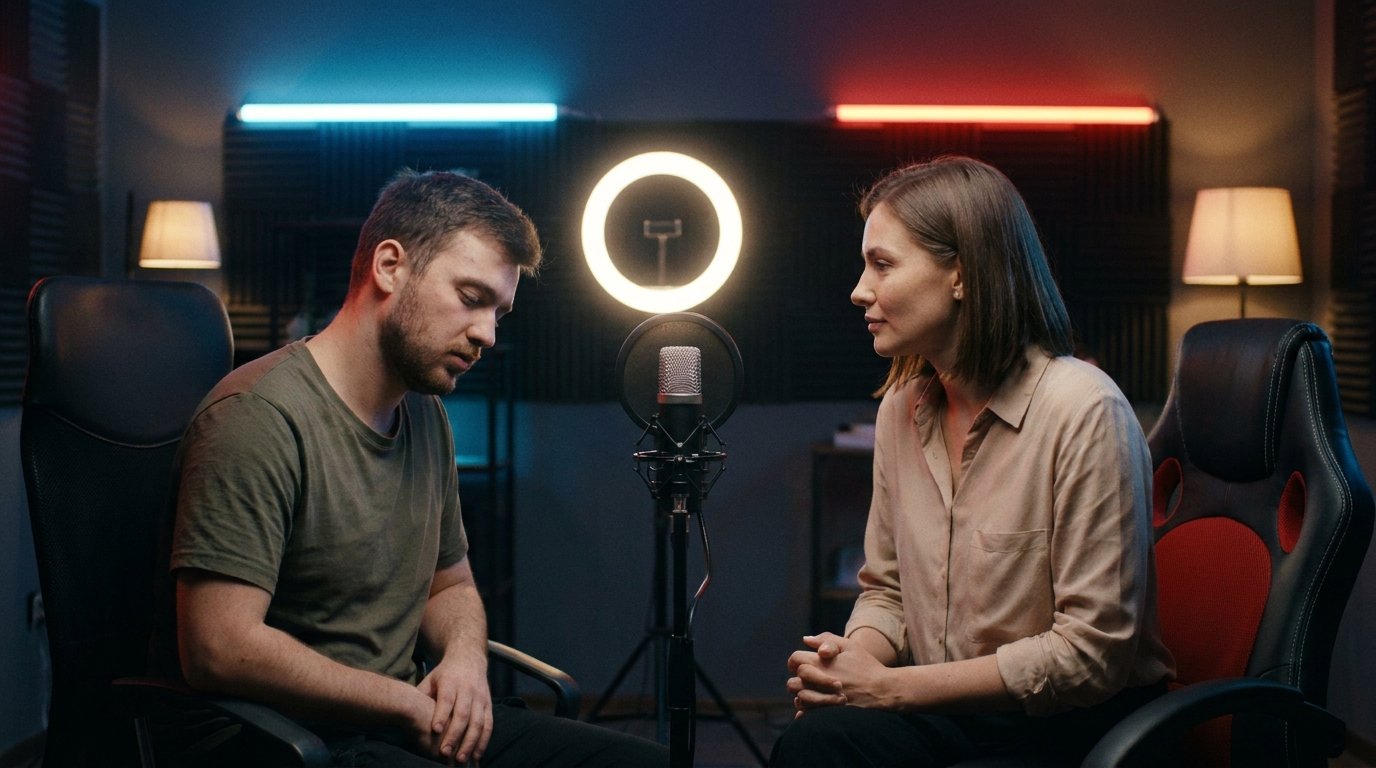
Help a guarded or upset player
After a loss, the interviewee may give one-word answers not because they don't want to talk, but because of fatigue, disappointment, or focus on their own mistakes. Don't try to immediately fill every pause. Acknowledge the player's state neutrally: "I understand it's not easy to break everything down right after an ending like that." Then ask one specific question and give them time to answer.
If the answer is a single word, don't repeat the same question louder and don't fire off three new ones at once. Narrow the topic: "Was the turning point the third round or the end of the map?"; "Did you expect that choice from the opponent?"; "Was that decision made in advance or during the round?" A question with limited options helps get the conversation started, but leave room for them to explain their answer.
It helps to build on what's already visible in the recording. Instead of "Why did you lose?" say: "In that round you changed position after the first contact. What influenced that decision?" A question like this calls for an explanation of an observable action, not a justification.
If the player still doesn't want to open up on a topic, offer to skip it: "If you're not ready to discuss this right now, we'll move on to the next moment." Don't pressure, don't demand an emotional reaction, and don't turn the silence into a separate topic of discussion. Sometimes it's better to cut the interview short than to force an upset participant to keep talking.
Keep the pace of a live broadcast
The host is responsible not only for the questions but also for the rhythm of the conversation. At the start, briefly name the player, the team, the match that just ended, and the reason for the interview. If a viewer joined the stream mid-conversation, they should quickly grasp the context. After that, move to the question without a long introduction.
Listen to the answer rather than waiting for your turn to speak. If the player has already explained the reason for a decision, don't recap it and don't ask the same question in different words. If the answer is short, use a follow-up. A brief pause is better than a hasty remark that has nothing to do with the topic.
Switch between topics with a short transition: "We've covered the in-game situation, now let's talk about the next match." If the player starts revealing an important detail on their own, set aside your prepared question and follow that thread. The host should manage the time but not get in the way of a substantive answer.
Select viewer questions from chat
Before the interview begins, explain to the audience how to flag questions, for example with a special word or symbol. If you have a moderator, ask them to collect suitable messages into a separate list, merge duplicates, and filter out insults, spoilers, and attempts to provoke conflict. The host chooses questions that help understand the match and isn't obliged to read the entire stream in order.
Don't pass a chat message to the player without checking it. First, read the question aloud yourself and, if necessary, shorten it while keeping the meaning. A long or emotional phrasing can be replaced with a neutral one: "Viewers are asking why the team didn't change the plan after that round." That way the interviewee hears a clear topic rather than a jumble of comments.
Keep the broadcast delay in mind. A message that just appeared may have been written before the answer to the previous question. Don't refer to chat reactions as real-time events, and don't ask a question if the player has already touched on that topic. It helps for the moderator to mark used messages and for the host to keep a small reserve of selected questions.
If there's no moderator, set aside room for two or three chat questions in advance and scan messages quickly between answers. Don't read out the stream while the player is speaking. If necessary, say: "We'll finish this answer, then take a question from chat." This keeps the interviewee's attention and shows viewers that their messages aren't being ignored.
Discuss losses and controversial moments without pressure
After a loss, questions can be direct but not demeaning. The phrasing "Why did you blow that round?" already contains an accusation. It's more neutral to ask: "What prevented you from executing that plan?" or "How do you assess the decision at the end of the round?" The player can then explain the situation instead of defending against the host's judgment.
Discuss controversial moments through facts. Don't assert in advance that the referee made a mistake, the team underestimated the opponent, or the player "choked." Ask how the participant saw the moment, what was happening within the team, and whether the decision affected the rest of the game. If the question concerns the rules, rely on confirmed information or use a cautious phrasing: "How did you understand the organizers' decision?"
A player has the right not to answer a question about a private strategy, team conflict, health, or personal circumstances. Accept the refusal without comment and move on to a topic about the match. On a live broadcast, it's especially important not to push the interviewee into candor for the sake of an emotional segment or a short clip.
Speak clearly for the whole audience
Not every viewer knows the rosters, roles, and professional terminology. If a question involves tactics or mechanics, add brief context: "In that round you switched from your usual position — why was that important?" It will be easier for the player to understand which moment you mean, and the viewer can follow the answer without extra explanation.
You can keep a complex term if it precisely describes the moment, but if needed, ask them to explain it in plain words. For example: "What did that mean for the team in practice?" Don't overload a single remark with several concepts. One question should contain one main idea.
If you're unsure about the name of a map, a role, or an in-game action, it's better to ask again than to confidently make a mistake. On a live broadcast, you can correct it calmly: "Let me correct myself: we were talking about the previous round." That kind of accuracy builds trust in the conversation and helps avoid confusing viewers.
End the interview clearly and hand off the broadcast
Once the main topics are covered, signal the last question. For example: "This will be our final question." A phrase like this keeps the conversation from ending abruptly and lets the player know it's time to wrap up. At the end, you can ask about upcoming preparation or give them a chance to address viewers, fans, and the team.
After the answer, thank the interviewee and say their nickname or name, as well as their team: "Thanks for the interview, [nickname]. Good luck to you and your team in the next match." Don't cut off the final phrase with a bumper, music, or a remark from the host. Leave a short pause so the ending sounds natural.
Then hand off the broadcast with a clear transition: "That's the end of the interview, we're going back to the studio" or "And now over to the main host for a breakdown of the next match." If the player needs to leave right away, don't drag out the goodbye: thank them, say goodbye, and only then address the viewers.
Announce the next match, map, or tournament stage only according to a confirmed schedule. After the broadcast, check the recording, captions, and description: fix any errors in the nickname, team, and result before publishing. When preparing a highlight, don't cut words in a way that changes the meaning of the answer, and keep the tournament rules in mind.
Quick takeaways: what to do step by step
- Before the match ends, study the participants and note the key moments.
- Check your equipment, the interview time, and the correct pronunciation of the nickname.
- Start with a neutral question and let the player switch gears after the game.
- Break down specific decisions, asking one question at a time.
- If the player is guarded, narrow the topic, offer to skip an uncomfortable question, and don't pressure them.
- Select questions from chat, account for the broadcast delay, and don't read the stream in order.
- Discuss the loss through facts, respect a refusal, and keep the language clear.
- Signal the last question, give the player the final word, thank them, and hand off the broadcast.
Last Articles
What has changed in design and functionality We have updated the website to make working with it faster and more convenient. The main changes affect ..
Good afternoon, I've collected all the news during this time.: 1. The main news is that prices for twitch viewers have been greatly reduced, while Tw..
1. Use promo code "December2025" for a 15% discount for all our viewers2. We have reduced the base prices for our configurator and the most affordable..
Twitch services are working stably, so we are ready to cooperate with squads, resellers, service owners, bot owners, and many others.Individual te..
We have completely updated our Twitch viewer services, and they are now working stably. We only use high-quality IP addresses for the viewers.The ..
Hello everyone! Today, we are announcing a new feature—"Twitch Viewer Configurator". Now, you can customize any plan for your Twitch channel. Choo..
Greetings, I have compiled a guide for streamers, which will be very relevant at the moment. Now YouTube and twitch have disabled monetization from vi..
We have finally developed the APINow it will be more convenient for our partner sites to work with us.To update the maximum tariffs for YouTube, an up..
Due to the huge popularity of the partnership services and referral program, we have made a cooperation table. The essence is very simple: more live a..
Our Services for Streamers








Our Services for Content Creators






