How a streamer can protect their voice from AI clones
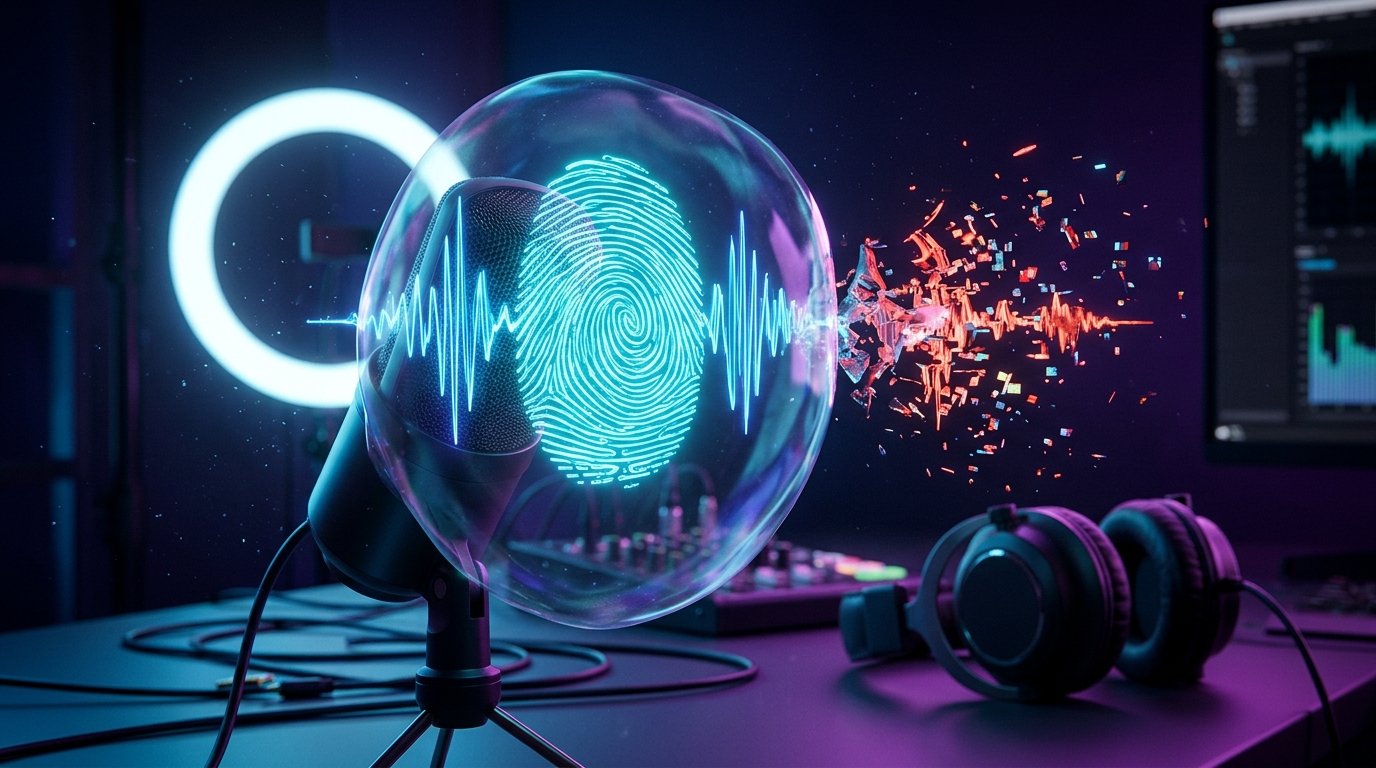
Why a streamer's voice has become a separate object of protection
A voice has long been used as part of a recognizable image. Viewers remember the manner of speech, timbre, intonations, and characteristic words. That is why a fake voice can look more convincing than an ordinary fake image with a channel logo.
An AI clone can voice an advertising offer, a request to transfer money, a message about a supposedly closed stream, or a comment the streamer never made. Recordings published in private chats, direct messages, and small communities are especially dangerous: there, they may be taken as a genuine address and the source may not be checked.
It is important to separate two tasks. Protection does not make it possible to completely prohibit copying a voice from public videos. It helps reduce the volume of recordings suitable for training, confirm the origin of genuine content, detect synthetic speech, and prove the fact of a fake faster.
Which materials are most often used for cloning
The most valuable are clean recordings without music, noise, and other people talking. They can be found in old broadcasts, advertising integrations, podcasts, interviews, reaction videos, and voice messages. You do not have to publish a separate audio file: suitable fragments can be extracted from a video recording.
An open archive does not mean it has to be completely removed. But it is worth reviewing old publications and removing unnecessary materials where the voice sounds for a long time without background music and other sounds. For important statements, it is useful to choose an official channel in advance where viewers can check whether an address really belongs to you.
Which tools have appeared for protecting and verifying audio
Today, protection is built not around a single button but around several technologies. Some add origin information to a file, others look for signs of synthetic speech, and still others try to prevent an algorithm from extracting a voice from a recording. For a streamer, these solutions differ in accessibility and purpose.
Content Credentials and the C2PA standard
C2PA is an open standard for recording the origin of digital content. On its basis, Content Credentials can be added to a file: information about which tool created the material, whether it was edited, and what actions were performed with it.
For audio, such data can be useful when publishing official addresses, advertising videos, and important announcements. The viewer or platform gets an additional sign of authenticity, and the author gets a history of work with the file.
The technology has a limitation: metadata can be removed during transcoding, downloading, or re-uploading. Therefore, Content Credentials do not block cloning and do not prove authenticity on their own. This is a layer of origin confirmation, not a means of prohibiting copying.
SynthID and AudioSeal watermarks
SynthID uses digital watermarks that are embedded in content created by supported Google tools. Depending on the type of material, such a mark can be applied to images, video, text, or audio. For a streamer, it is important to understand: SynthID does not add protection to any existing voice recording. It primarily helps recognize synthetic content created in compatible systems.
AudioSeal is a Meta research technology for marking speech created by artificial intelligence. Its feature is the ability to determine not only the presence of a watermark but also the sections of audio that were generated. This is convenient for analyzing mixed files where part of the speech is real and part is replaced.
Both technologies are useful as a direction for industry development, but their effect depends on whether a specific generator applied the corresponding marking. If a voice clone was created by another tool without a watermark, such a check may show nothing.
Synthetic voice detectors
Services such as Resemble Detect, Reality Defender, and Pindrop Pulse analyze audio and look for signs of generation or substitution. They are usually designed for developers, companies, moderation services, and work via API. Feature availability and terms of use may change, so before uploading a recording, you need to check the pricing, file retention policy, and personal data processing rules.
A detector gives a score or a signal of a probable fake, but it does not replace expert examination. Errors are possible after heavy compression, recording through a speaker, background noise, editing, and changes in speech rate. A real voice may seem synthetic, and a well-made clone sometimes passes an automatic check.
For a streamer, a detector is useful as a means of initial analysis of a disputed file. If the recording is related to fraud, threats, or reputational damage, the result of the check must be saved together with the original file and other evidence.
Anti-cloning technologies that alter the recording itself
A separate direction is protecting the source audio before it is published. Subtle changes are added to the recording, designed to confuse the training algorithm or degrade the quality of a future clone. For a person, the sound may remain almost normal, but for a model it becomes a less convenient data source.
One of the well-known research projects of this type is AntiFake. It is designed to protect speech from unauthorized synthesis using specially calculated changes to the audio signal. Such developments are important for understanding possible protection, but they are not a universal solution for every stream and every platform.
During a live broadcast, such processing must be applied carefully. It may affect intelligibility, noise reduction performance, speech recognition, and recording quality for viewers. The platform may also transcode the sound and partially change the effect. Before using processed audio, it is worth checking it on different devices and in the recording, not only in the author's headphones.
What protects against copying and what only helps prove a fake
These tasks are often confused, although they differ:
- anti-cloning processing tries to make it harder to train a model on a specific file;
- a watermark shows that the audio was created or processed by a compatible tool;
- Content Credentials record the origin and editing history;
- a detector assesses the probability of synthetic origin;
- platform rules help report impersonation and remove a malicious publication.
None of these options turns a public voice into something that cannot be copied. A workable scheme consists of a combination of several measures: reducing unnecessary exposure, confirming official addresses, monitoring, and a ready response procedure.
What the platforms themselves offer
Streaming and social platforms are gradually adding labels for AI content, tools for finding imitations, and forms for complaints about impersonation. The capabilities depend on the platform, region, account type, and specific publication format.
Video platforms may use mechanisms to find content that imitates the appearance or identity of the author. Social networks sometimes have labels indicating that material was created with artificial intelligence. Such functions are useful for moderation, but they do not detect all clones and do not always extend to live broadcasts, direct messages, or third-party sites.
A complaint should describe a specific violation: impersonation, fraud, use of a name and voice without permission, a threat, or publication of misleading advertising. The more precisely the link, time of appearance, and difference from the official message are indicated, the easier it is for the moderator to check the situation.
Practical voice protection for a streamer
Start with an inventory of public materials. Find old broadcasts, clips, podcasts, and advertising recordings where the voice sounds long and clean. Delete or hide only those files that are no longer needed and have no value for the audience. If a recording is important to the channel's history, you can restrict access to it instead of deleting it completely, if such a function exists.
Do not use your voice from a public stream to confirm identity in financial and administrative matters. A spoken phrase by itself should not be the only way to log into an account, restore access, or confirm a transfer. Such actions require passwords, an authenticator app, a hardware key, or another independent factor.
It is useful to separate materials by purpose. In public videos, you can leave ordinary live speech, but you should not publish long clean recordings of the same text, separate voice messages, and source files of advertising voiceovers without necessity. Keep working files separately and do not pass them to unknown contractors.
How to reduce the risk of voice-based fraud
Tell viewers in advance where genuine announcements are published. This can be a verified account, a pinned post, an official messenger channel, or a schedule page. What matters is not the specific platform but a clear and consistent way to verify.
For especially important addresses, you can use a short phrase that viewers will see at the same time in an official text message. It will not stop a clone from being created, but it will allow the audio to be compared with a publication on a verified channel. Do not make the secret phrase the only proof: it can also be repeated after a leak.
Warn your audience that urgent requests for money, transfers, purchase of gift cards, sharing codes, and changes of payment details must be verified through another communication channel. If a person receives a voice message in a private chat, it is safer to open the official profile yourself rather than follow a link from that message.
How to tell that a recording may be fake
A modern AI clone cannot be reliably identified by ear. Errors are sometimes noticeable due to unnatural pauses, uniform intonation, strange pronunciation of names, sharp transitions between words, and inconsistency with the usual manner of speech. But a good fake may have no obvious defects.
Check not only the sound but also the context. Compare the content with the stream schedule, recent publications, and the channel's actual actions. Look at where the file came from, who posted it, and whether the link has changed. If in doubt, contact the author through a previously known channel and do not use the contact from the disputed recording.
An automatic detector can be used as an additional check. The result is better treated as grounds for further analysis rather than as a final verdict. A service's mark alone is not enough to publicly accuse another person.
What to do after discovering a clone
First, preserve the evidence. Download the file, take screenshots, record the page address, account name, date of discovery, and description of the damage. Do not edit the only copy and do not re-save it in a format that will degrade the quality. If you have the original recording of your voice, save it as well, along with the publication date or the source project.
Then file a complaint on the platform under the appropriate category. Depending on the situation, this may be impersonation, fraud, copyright infringement, use of personal data, or threats. If the fake is related to extortion, money theft, blackmail, or a real risk to people, contact law enforcement and keep the report number.
The message to the audience should be short and verifiable. Include a link to the fake publication, confirm that it does not belong to you, and provide the address of the official channel. Do not spread the fake without necessity: repeated reposts increase its reach.
Issues of compensation and removal depend on the country, the agreement with the platform, and the nature of the violation. If the voice was used in advertising, to deceive clients, or in a commercial video, a lawyer's consultation and official recording of the fact of publication may be needed.
How to choose a protection tool
Before uploading a recording to a service, check what task it solves. A detector will not protect the source voice from future copying, and a watermark will not replace monitoring. For each tool, it is useful to clarify:
- whether the file is processed locally or sent to a server;
- whether the service retains uploaded recordings and uses them for training;
- which formats and types of audio are supported;
- whether you can get a report, a link to the result, or a verification log;
- how the service reports errors and how much the result depends on noise and compression;
- whether processed materials are allowed to be used in commercial publications.
For an ordinary streamer, it is most often reasonable to start not with expensive automation but with order in the archive, two-factor protection of accounts, an official announcement channel, and instructions for the audience. Specialized analysis will be needed when a disputed file has already appeared, there are regular fraud attempts, or there is a large volume of public content.
What a streamer should do: a short plan
- Review the public archive and remove unnecessary clean voice recordings.
- Appoint an official channel for important announcements and pin it in your profile.
- Do not use your voice as the only way to confirm identity or an operation.
- For important files, use origin confirmation or compatible watermarks if they are available.
- If a disputed recording appears, save the original, links, and screenshots.
- Check the audio with a detector, then file a complaint with the platform and warn viewers.
- In cases of fraud, threats, or blackmail, document the damage and seek legal help.
Last Articles
What has changed in design and functionality We have updated the website to make working with it faster and more convenient. The main changes affect ..
Good afternoon, I've collected all the news during this time.: 1. The main news is that prices for twitch viewers have been greatly reduced, while Tw..
1. Use promo code "December2025" for a 15% discount for all our viewers2. We have reduced the base prices for our configurator and the most affordable..
Twitch services are working stably, so we are ready to cooperate with squads, resellers, service owners, bot owners, and many others.Individual te..
We have completely updated our Twitch viewer services, and they are now working stably. We only use high-quality IP addresses for the viewers.The ..
Hello everyone! Today, we are announcing a new feature—"Twitch Viewer Configurator". Now, you can customize any plan for your Twitch channel. Choo..
Greetings, I have compiled a guide for streamers, which will be very relevant at the moment. Now YouTube and twitch have disabled monetization from vi..
We have finally developed the APINow it will be more convenient for our partner sites to work with us.To update the maximum tariffs for YouTube, an up..
Due to the huge popularity of the partnership services and referral program, we have made a cooperation table. The essence is very simple: more live a..
Our Services for Streamers







Our Services for Content Creators