
Why Twitch AutoMod Holds Ordinary Messages and How to Configure It
A held message doesn't always mean a ban or deletion
If a viewer sent a seemingly ordinary phrase but it didn't appear in chat, the message may have been held for AutoMod review. The filter doesn't necessarily delete the comment for good: it stops text it considers potentially risky and passes it to the moderator queue. Until a moderator approves the message, other viewers won't see it.
On a fast-paced stream this looks like a broken chat. A question about the game, a reply to the streamer, or a reaction to a moment becomes irrelevant within a few minutes. AutoMod assesses the risk of the text, not the intent of a particular viewer. That's why a phrase that's safe in context sometimes gets held alongside toxic comments.
AutoMod checks more than just banned words
The filter may react to individual words, combinations of vocabulary, character spelling, and signs of rule evasion. For a viewer, a phrase may be a game command, a quote, a meme, or a friendly joke. Automated review doesn't always understand what's happening in the match and what the relationships between chat participants are.
For example, the comment "kill this boss already" refers to progressing through the game, but contains harsh wording. Review may be triggered by crude memes, quotes, comments about appearance, phrases with threats in a gaming context, and words with multiple meanings.
The downside of this approach is obvious: some normal messages end up in the queue. But with too lenient review, threats, harassment, discriminatory statements, and veiled insults get through to chat faster.
AutoMod levels determine the frequency of false positives
In Twitch moderation settings, AutoMod usually offers levels from 0 to 4. Level zero means automatic review for a category is turned off. The higher the level, the more cautious the filter is about potentially controversial wording and the more messages it may hold.
AutoMod lets you set strictness separately for categories related to discrimination, sexual content, hostility, and profanity. This is more useful than strengthening the entire filter equally: if chat regularly holds gaming slang with crude words, you don't necessarily need to weaken protection against discriminatory statements.
- Level 0 is only suitable with manual moderation or for a category the team deliberately doesn't filter. The downside is that risky messages won't reach the AutoMod queue.
- Level 1 provides minimal review. The downside is that some veiled toxicity may pass straight into chat.
- Levels 2 and 3 suit most active channels where moderators can keep up with the queue. The downside is that gaming phrases and memes will sometimes wait for approval.
- Level 4 is useful during a raid, a conflict, or a sudden influx of new viewers. The downside is that the number of false positives noticeably increases.
How to open AutoMod settings and change the review level
Settings are changed through the creator dashboard. Open the settings section, go to the moderation subsection, and find the AutoMod block. Item names may differ slightly depending on the interface language, but filter controls are located specifically in moderation settings, not in the regular chat window.
- Open the Twitch channel dashboard.
- Go to settings and select the moderation section.
- Find AutoMod and open the filter category settings.
- Look at the current level for each category, not just the overall review result.
- Choose the one category that most often holds safe messages.
- Lower its strictness by one level and leave the other parameters unchanged.
- Check the AutoMod queue on the following streams and assess whether unwanted messages have increased.
Don't change several categories at once. The downside of abrupt reconfiguration is that you can't later tell which parameter reduced false positives and which opened chat to advertising, insults, or rule evasion.
The AutoMod queue shows exactly what the filter dislikes
Don't disable protection or set the minimum level right away based on a single complaint. First open the AutoMod queue and look at the held messages over several streams. One random comment proves nothing, while recurring cases point to a specific problem in the settings or channel rules.
Sort holds by type: gaming terms, mildly crude slang, transliteration, mixed alphabets, links, spam, quotes, or direct insults. Then compare which messages moderators approve more often and which they reject.
- If item or character names are constantly held, check the permitted terms.
- If phrases with crude vocabulary in a gaming sense are held, review the profanity category.
- If threats and harassment end up in the queue, lowering strictness isn't worth it.
- If viewers write the same safe phrase in different ways, check for mixed letters, digits, and symbols.
The downside of checking only after the stream is that normal messages have already lost their relevance. On an active stream, someone on the team should watch the queue during high-load moments.
Russian, English, and non-standard spelling create ambiguity
Russian-language Twitch chat rarely consists of Russian text alone. Viewers use game names, nicknames, English slang, abbreviations, and memes. A single combination of letters may be neutral in one language and match undesirable vocabulary in another.
The problem gets worse with short messages that lack context. A character, weapon, card, or team name may match part of a crude expression. A viewer writes an item name, and the filter sees a potentially controversial sequence of characters.
Transliteration and mixing Cyrillic with Latin are best treated as one problem: both formats resemble an attempt to alter the spelling of a word. Rule-breakers use this to evade the filter, but an ordinary viewer may write this way out of habit or because of switching keyboard layouts. The downside of fully loosening it is that toxic messages become easier to disguise.
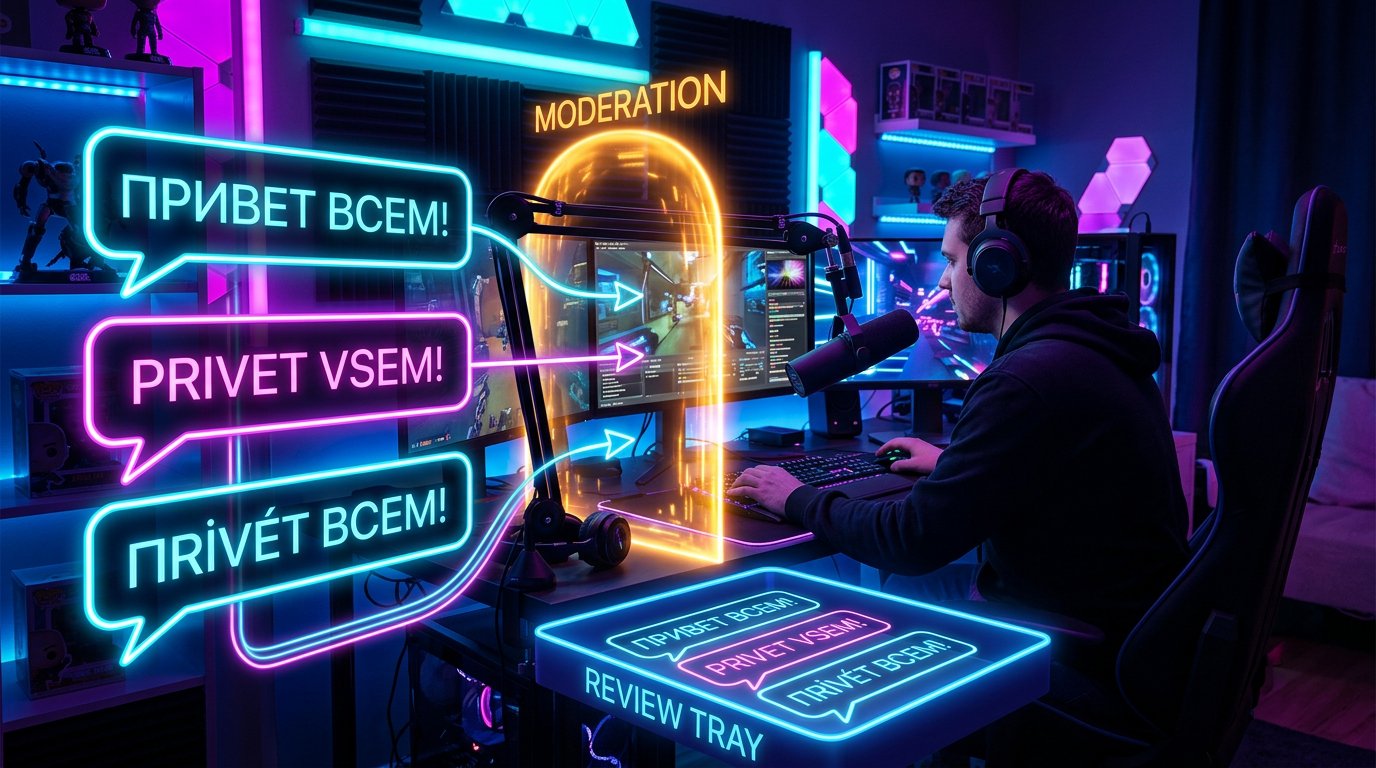
Spaces, digits, and emoji inside a word look like filter evasion
AutoMod and other moderation tools may be wary of words broken up by spaces, digits, signs, or emoji. Comments like "n e e d build," "need b1uild," or a word with an emoji inside don't necessarily break the rules, but structurally they resemble disguising banned vocabulary.
Caps alone don't mean a violation. However, caps combined with repeated characters, aggressive words, and unusual spelling look riskier than the same message in normal text. This is especially noticeable during spam, when viewers copy the same phrase with slight changes.
Don't ask moderators to automatically reject all non-standard messages. The downside of such a rule is that it will catch nicknames, gaming abbreviations, and ordinary typos. It's safer to read the comment as a whole and, if needed, ask the viewer to write it without symbols inside words.
Permitted terms help with recurring gaming words
If AutoMod regularly holds a specific game, character, item, or team name, or a neutral local phrase, use the permitted terms and phrases list in moderation settings. It's meant for targeted exceptions, not for broadly weakening protection.
- First find several identical holds in the AutoMod queue.
- Make sure the word or phrase is safe not only in one message but also on its own.
- Open the permitted terms and phrases list in moderation settings.
- Add the exact item, character, or team name without extra spelling variants.
- Check on the following streams whether the expression has stopped being held for moderation.
- If the word starts being used in insults or evasion, remove the exception.
Only add narrow, clear terms to the exceptions. Don't put short fragments of words, crude expressions, controversial memes, or phrases whose meaning depends on context there. The downside of a long permitted list is that it becomes a convenient loophole for breaking the rules.
Approving a comment doesn't teach AutoMod for the future
Manual approval decides the fate of one specific message. Don't expect that after a few approvals AutoMod will stop holding a similar word forever. For recurring safe vocabulary, you need to separately adjust the category level or add an exact exception through the permitted terms list.
It's important to explain this to moderators: approving a message in the queue and changing filtering rules are different actions. The first helps the viewer right now, the second affects future streams.
The downside of constant manual approval is that the team gets used to treating symptoms instead of the cause. During a raid, a giveaway, or fast chat, the queue fills up quickly, and neutral questions start waiting too long.
Stop words, bots, and chat restrictions may trigger instead of AutoMod
If a viewer complains about a vanished message and it isn't in the AutoMod queue, the cause should be sought in other tools. The channel may have custom stop words, bot filters, link restrictions, subscribers-only mode, restrictions for new accounts, or a moderator's action.
A custom banned words list often causes accidental blocks. A short fragment added after a conflict may appear in a nickname, team name, surname, gaming term, or foreign word. Externally this looks like an AutoMod error, even though the built-in filter wasn't involved in the decision at all.
Bots react separately to caps, repeats, links, flooding, lots of emoji, and their own blacklists. The downside of several filters without distributed responsibilities is that moderators spend a long time finding the source of the block, while the viewer doesn't understand why their message didn't go through.
Check the moderation log before changing settings
When a complaint comes in, first check the AutoMod queue, then the moderation log and the rules of connected bots. If a moderator deleted the comment, changing the AutoMod level is pointless. If a stop word triggered, you need to fix the stop words list, not add an exception in AutoMod.
It helps to divide tasks between tools. AutoMod can be left to review risky vocabulary, custom stop words for specific advertising, spoilers, and unwanted phrases, and the bot for technical spam: repeats, links, and flooding.
The downside of an overly complex scheme is that it's hard to maintain, especially when several moderators change the settings. After conflict-heavy streams, remove temporary bans if the team can no longer explain why they're needed.
Moderators need a short procedure for handling the queue
The AutoMod queue isn't just for removing violations but also for quickly publishing normal messages. If a viewer asks about a build, asks to repeat a setting, or answers the streamer's question, a delay of several minutes effectively equals skipping the comment.
- Find the message by the viewer's nickname and send time.
- Read the whole comment, not just the individual word that looks controversial.
- Check several previous messages if it's a reply, a quote, or a game command.
- Approve neutral questions, item names, and safe gaming phrases.
- Reject threats, harassment, advertising, personal insults, and obvious word disguising.
- Note terms that are held regularly so you can later check exceptions and the category level.
- Don't approve a message just because a regular viewer wrote it.
On a small channel, one moderator often reads chat and handles the queue at the same time. The downside of this mode is that some messages inevitably wait longer. During a raid, a giveaway, or a conflict, it's better to assign someone in advance to watch AutoMod specifically.
How to explain a hold to a viewer without giving evasion tips
You don't have to reveal the exact filter parameters or list the words it reacts to. Such details help people who deliberately test the boundaries of protection. It's usually enough to tell the viewer that their comment was held for automatic review and is visible to moderation.
If the message is safe, approve it and briefly explain that the hold was automatic. If the problem is related to transliteration, mixed keyboard layouts, symbols inside a word, or crude ambiguous wording, ask them to write the thought in normal text.
An overly generic answer is also inconvenient: the viewer may decide they were punished for no reason. You can give a clear recommendation without technical details: don't break words up with symbols, don't duplicate the comment, don't mix alphabets within a single word, and rephrase the message without the crude expression.
Last Articles
What has changed in design and functionality We have updated the website to make working with it faster and more convenient. The main changes affect ..
Good afternoon, I've collected all the news during this time.: 1. The main news is that prices for twitch viewers have been greatly reduced, while Tw..
1. Use promo code "December2025" for a 15% discount for all our viewers2. We have reduced the base prices for our configurator and the most affordable..
Twitch services are working stably, so we are ready to cooperate with squads, resellers, service owners, bot owners, and many others.Individual te..
We have completely updated our Twitch viewer services, and they are now working stably. We only use high-quality IP addresses for the viewers.The ..
Hello everyone! Today, we are announcing a new feature—"Twitch Viewer Configurator". Now, you can customize any plan for your Twitch channel. Choo..
Greetings, I have compiled a guide for streamers, which will be very relevant at the moment. Now YouTube and twitch have disabled monetization from vi..
We have finally developed the APINow it will be more convenient for our partner sites to work with us.To update the maximum tariffs for YouTube, an up..
Due to the huge popularity of the partnership services and referral program, we have made a cooperation table. The essence is very simple: more live a..
Our Services for Streamers








Our Services for Content Creators






