
Why viewers from another category see your stream on Kick
On Kick, a category doesn't shield your stream from a different audience
The category sets where the broadcast sits in the directory and tells the viewer the basic topic of the stream. It doesn't mean only people who browse that section will see the stream. A gaming channel can end up in recommendations for a viewer of talk streams, another game, or channels in the same language.
Kick doesn't publish its exact recommendation formula, so you can't explain every impression with a single factor. But there is a verifiable part: category, language, title, and tags form the description of the stream that the viewer sees before clicking. If they don't match what's happening on screen, traffic from an adjacent topic can produce views without retention.
First, rule out an incorrectly set category
Separate two situations. In the first, the category really is set wrong: it wasn't updated after a game change, the title names one format while the channel card leads to another section. Fix this before the next stream, otherwise your stats comparison will be inaccurate.
In the second situation, the category is correct, but the audience arrives for a specific element of the stream: chatting before matches, reacting to news, a collaboration, clip review, or looking for a team. Here the problem isn't the impression itself reaching another audience, but the gap between why someone clicked and what they get a few minutes later.
Check the channel card during the stream and after a content change. Match the category to the game or format on screen, the language to the speech in the stream, and the title to the upcoming segment of the broadcast. This check won't reveal the recommendation mechanism, but it will rule out a setup error.
Which signals can bring in a viewer with adjacent interests
To a viewer, a stream isn't only a broadcast of a specific game. They see the language, the name, the tags, a familiar guest, the topic of discussion, and chat activity. If the title mentions a patch, news, reactions, or a watch party, the stream looks relevant even to those who don't follow the chosen title.
A separate signal is the behavior of the first people who join. When viewers stay during a talk segment, reply in chat, and click through the channel, the platform may keep showing the broadcast to similar users. This doesn't mean the channel was "moved" to another category. It's about the reaction to a specific stream and how it's currently presented.
The downside of this traffic shows up after the segment changes. Viewers may come for a patch discussion and leave when a long ranked session begins. The online peak looks useful, but average watch time and activity from new people can drop after the switch to gameplay.
Title, tags, and language set expectations before the click
The title shouldn't try to cover every format at once. The game, rank, and mode name suits a gaming session. Wording about news, a patch, or chatting suits a stream where that segment takes up a substantial part of the time. If the format changes for ten minutes, you don't have to redo all the presentation. If it takes up a noticeable part of the broadcast, the viewer should be told in advance.
Tags aren't for random broad reach but for clarifying the format. Don't add talk, reaction, or collaboration tags to a stream where they're barely present. Don't leave only gaming tags if there won't be any matches that day. The presentation should describe the actual format of the stream, not the format you wish to promote.
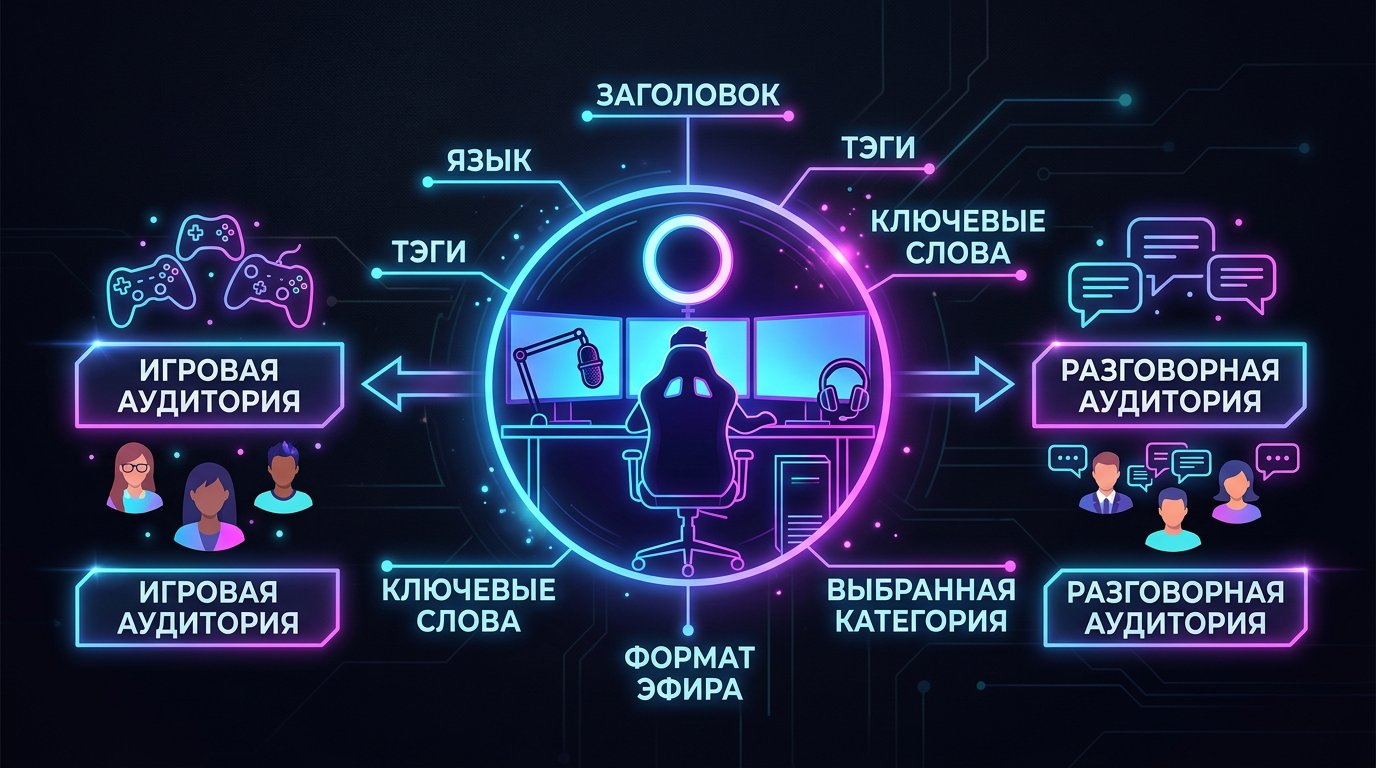
How to align your presentation with the stream's content
- Name the game and mode in the title if the main part of the stream consists of matches, practice, or a playthrough.
- Add the topic of the conversation, patch, or review if it takes up a separate long segment and is featured in the announcement.
- Check that the tags don't promise a format the viewer won't see in the first minutes after joining.
- Keep the channel language as the one actually spoken for most of the stream.
- Before a collaboration, name the guest or the joint format in the title if it's the central part of the stream.
- After switching to another game or a long talk segment, update the category and presentation if the stream plan calls for it.
Precise presentation has a downside: it can reduce the number of random clicks. But the viewer will better understand why they're opening the broadcast. An overly broad wording gives more entry points but raises the risk of quick exits after the start.
A mixed stream should be labeled by the main reason to watch
A gaming stream often includes queues, technical pauses, chat conversations, and news discussion. These segments don't automatically make the channel a talk channel. What matters more is what the viewer gets for most of the stream and why they're invited in the announcement.
If a patch review happens before matches on almost every stream, put it in the schedule or title: for example, mark the talk opening and the gameplay that follows. If a talk segment appears by chance, don't build your ongoing positioning around it. The downside of a mixed format is that audiences with different interests may not wait for their part of the stream.
Separate gaming and talk days simplify expectations, analytics, and announcements. But the schedule becomes more fragmented, and regular viewers need the difference between formats explained. You can also keep a single stream if the transitions are clear and don't contradict the presentation.
How to check whether the influx of another audience repeats
Don't draw conclusions from a single stream. A spike can be caused by a raid, an external post, a clip, a mention by another creator, a collaboration, or an unusual moment in the game. For the first test, take six streams of the same format over two to three weeks. Run them on similar days and hours, and don't change the game, language, schedule, and the whole tag set at the same time.
For each stream, record the time the online count grows, what's on screen at that moment, the title, category, tags, and external events. Separately note the start of a match, a talk segment, a collaboration, a raid, and a link being posted. If a breakdown by source is available, compare recommendations, the category page, search, raids, and external clicks.
A recording of the broadcast helps verify the key thing: what a new viewer saw in the first minutes after joining. Analytics may not show the reason for every impression, but a timeline lets you separate a repeating pattern from a one-off spike.
Which test result counts as a signal to change your presentation
The signal comes not from one high number but from the same scenario repeating in at least three of six comparable streams. For example, the online count rises during news discussion or chatting, then quickly returns to its usual level once matches begin. At the same time, new viewers rarely stay in chat, don't return for the next similar stream, or show weaker watch time relative to your usual range.
Another signal is a rise in activity during matches with an accurate gaming title and tags. In that case, you don't need to artificially add talk elements just because some viewers came from adjacent recommendations. Your presentation and actual format probably already match.
Change your presentation when the same gap between promise and content repeats, not when one stream produced an unusual peak. The downside of such a test is that it takes time and discipline: without notes on each stream, the causes of the influx quickly blur together.
Example: a talk segment brings in a non-gaming audience
A channel regularly runs competitive streams in one game. Several times, view growth began during a patch review before matches. The title kept only the game name and mode, and the tags didn't reflect the talk segment. New people actively wrote in chat, but some left after the switch to ranked matches.
The creator checked six similar streams over three weeks and saw one pattern: the growth repeated specifically during the update discussion, not during matches. On gaming days, they kept the title with the game and mode. For streams with a long patch review, they changed the title so it included both the update discussion and the gameplay that followed, and aligned the tags with that format.
After that, talk-and-game streams and purely gaming streams can be compared separately. If viewers who came for the review also stay for the matches, the format is worth keeping. If they consistently leave after the discussion, it's more sensible to move reviews to separate days or shorten them in the gaming stream. The downside of splitting is that part of the audience will come only for one type of broadcast.
What to change after a recurring mismatch of expectations
If a gaming audience arrives on a talk title and leaves quickly, make the name more direct: state the game, mode, and the immediate goal of the stream. Remove tags that promise reactions, news, or a watch party without such a segment. If talking has become a regular and significant part of the channel, mark it in the announcement and schedule instead of hiding it behind a single game's name.
If the influx appears during talk and then drops during matches, there are two workable options. First, keep the mixed format but state the sequence of segments directly in the title. Second, split talk and gaming streams by day. The first option keeps a single content flow but doesn't fully remove the mismatch of interests. The second makes expectations more precise but fragments the schedule and the audience.
Don't change the category, title, tags, and start time all at once. After each change, run a new series of comparable streams and check whether quick exits after a specific segment decreased. If not, the cause may not be the presentation but the structure of the stream itself: too long a queue, an abrupt switch between topics, or the lack of a clear plan for the viewer.
Last Articles
What has changed in design and functionality We have updated the website to make working with it faster and more convenient. The main changes affect ..
Good afternoon, I've collected all the news during this time.: 1. The main news is that prices for twitch viewers have been greatly reduced, while Tw..
1. Use promo code "December2025" for a 15% discount for all our viewers2. We have reduced the base prices for our configurator and the most affordable..
Twitch services are working stably, so we are ready to cooperate with squads, resellers, service owners, bot owners, and many others.Individual te..
We have completely updated our Twitch viewer services, and they are now working stably. We only use high-quality IP addresses for the viewers.The ..
Hello everyone! Today, we are announcing a new feature—"Twitch Viewer Configurator". Now, you can customize any plan for your Twitch channel. Choo..
Greetings, I have compiled a guide for streamers, which will be very relevant at the moment. Now YouTube and twitch have disabled monetization from vi..
We have finally developed the APINow it will be more convenient for our partner sites to work with us.To update the maximum tariffs for YouTube, an up..
Due to the huge popularity of the partnership services and referral program, we have made a cooperation table. The essence is very simple: more live a..
Our Services for Streamers








Our Services for Content Creators






