
Why the end screen doesn't work on a YouTube video for kids
The main reason: the video is marked as made for kids
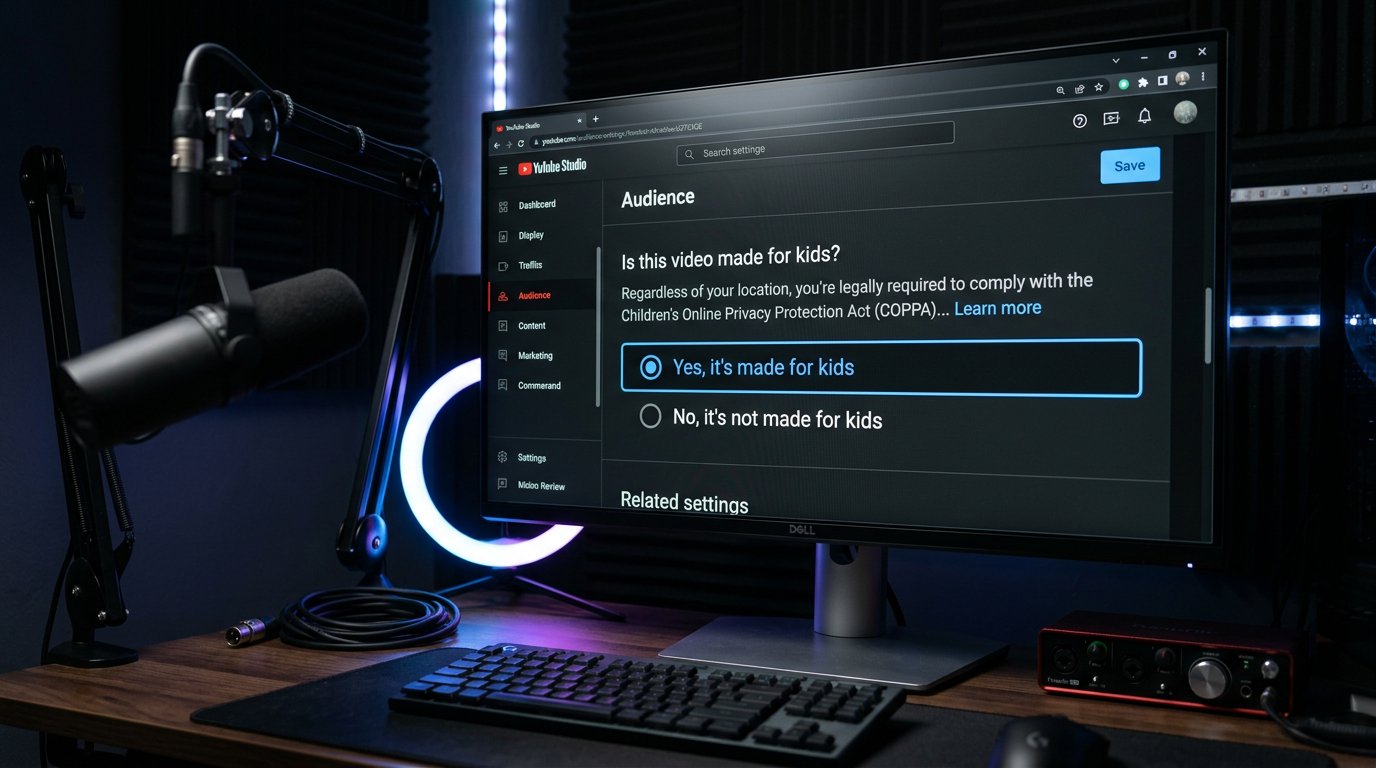
If you've marked a video on YouTube as made for kids, the end screen isn't available on it. This is a platform restriction, not an editing error or a channel malfunction. Interactive elements that usually lead to another video, a playlist, or a channel don't appear on such a video.
The kids audience setting also limits other features, including hints and comments. Fixing the end screen in the editor is pointless while the video is classified as kids content: first you need to check whether the status matches the content.
Where to check the video's audience
In YouTube Studio, open the "Content" section, select the video, and find the "Audience" block in its details. It shows the status "Yes, it's made for kids" or "No, it's not made for kids." The names and locations of the items may differ across interface versions.
You should check the specific video. In the channel settings, you can set the audience for all videos or define it separately for each one. The global setting is convenient for uniform content, but on a channel with mixed topics, the status of individual episodes requires attention.
When a video is considered made for kids
You need to assess the content and the intended audience, not just the age of viewers in analytics. Characters, games, language, songs, activities, design, and other signs that the material is aimed at children all matter. A video intended for both children and adults can also count as kids content.
A single sign usually doesn't settle the question. A cartoon style or the absence of profanity doesn't by itself make any video kids content. What matters is the combination of signs and the purpose of the material.
Can you change the audience just to get the end screen
If the status was set by mistake and the video really isn't intended for kids, you can correct the audience setting. After that, check whether the end screen editor is available and add the needed elements separately: changing the status alone doesn't create transitions.
You must not change the audience just to get the end screen. An incorrect designation can lead to action from YouTube and problems with compliance with applicable requirements. For a kids video, you need to keep the appropriate status and use other navigation methods.
What to do if YouTube set the status itself
YouTube can determine a video's audience automatically. If the platform marked the video as kids content but the creator believes this is a mistake, open the video details and check which actions are available in Studio. Some decisions can be appealed; the option and procedure for submitting appear in the interface.
In the appeal, explain who the material is addressed to and which content features confirm this assessment. The downside of this path is that the review doesn't guarantee a change of status: the platform may keep its previous decision.
If the video isn't marked as kids content
For a video with the "Not made for kids" status, the absence of an end screen may be due to the end screen settings themselves or the viewing conditions. First open the editor in YouTube Studio and check whether elements have been added and changes saved.
A final background made during editing doesn't create links automatically. Even if space is left on the image for a preview of the next episode, the transition must be added separately through YouTube's tools.
Check the video length and timing
To add an end screen, the video must be at least 25 seconds long. Elements are placed within the last 5–20 seconds. If the clip is too short, moving graphics within the video won't make the end screen available.
When checking, watch the video through to the moment the element appears on the timeline. For example, a link assigned closer to the end doesn't have to appear at the start of the final frame. This test reveals a timing error but doesn't explain the absence of an already saved element under all viewing conditions.
Check the elements and saving in the editor
In the end screen editor, look at which elements are on the timeline and which part of the video they're assigned to. The end screen must have at least one video or playlist element. After changes, you need to save the setting and check the published video.
Not all element types are available to every channel: for example, external links depend on available features. At the same time, having elements in the editor doesn't guarantee they'll be shown to every viewer — display depends on viewing conditions.
Check which video is open for viewing
Sometimes a creator edits one episode but checks another upload with a similar name or an old version after re-publishing. It's worth comparing the title, address, and content of the video page with the entry open in Studio. An end screen added to one video isn't transferred to another upload automatically.
If the elements exist only in the saved source file, the viewer will see the drawn graphics but won't be able to click it as a YouTube link. A working end screen requires platform elements.
Why the end screen isn't visible on all devices
Even with the right audience setting and saved elements, the end screen may display differently or not appear under certain viewing conditions. Display is affected by the device, the playback method, and other factors controlled by YouTube. One unsuccessful viewing doesn't yet prove a settings error.
To check, open the regular video page on YouTube and watch to the end. Then compare the result on another device or in another browser. Such a test shows behavior under the chosen conditions, not for the entire audience.
What to check in the browser and app
If the end screen disappears in only one place, you can refresh the page or app, then check playback without extensions that change how the site works. Viewing in another browser will help separate a local issue from a limitation of the video itself.
Reinstalling the app or switching browsers won't remove the kids audience restriction. So it's better to start diagnostics with the video's status and move on to checking devices only if the video really isn't kids content.
Can you replace the end screen with a final frame
You can build a calm final frame into a kids video in advance, with the channel name or the next episode. It stays part of the video and doesn't depend on YouTube's end screen editor. This technique helps the viewer know what to look for next and keeps a consistent style for the series.
The downside is obvious: the title on the image isn't clickable. Arrows pointing to empty areas and drawn subscribe buttons can create false expectations, so it's better not to depict them as working interface elements.
How to indicate the next episode
At the end, you can show or say the exact title of the next video or series. This is useful when episodes are connected by a storyline or follow a specific order. The title must match the published one, otherwise the continuation will be harder to find through search or on the channel page.
The transition will still require a separate action from the viewer. In addition, if the next episode hasn't been published yet, its title may change, and text built into a finished video is harder to fix.
How to organize episodes on the channel
Related videos can be collected into playlists and featured collections placed on the channel's home page. Clear episode titles, sequential numbers, and consistent design will help distinguish series without an interactive end screen inside the video.
This isn't a full replacement for the end screen: the viewer needs to find the collection another way. In addition, the availability of certain actions with kids content depends on the interface and viewing settings.
Should you leave links in the description
In the description, you can specify the title of the related episode and information about the series. If a link is added, its availability should be checked on the published page: clickability depends on the format and the features available to the channel, and visibility depends on the viewing method.
The description is located separately from the image and doesn't replace the button at the end. For kids content, it's especially important not to direct the audience to questionable pages and not to ask them to provide personal data.
How to prepare the ending of a new video
It's best to determine the audience when planning the episode. For a video not made for kids, you can leave space in the edit for YouTube elements, then check their placement and timing after uploading. The downside of this solution is that even a configured end screen isn't shown under all conditions.
For a kids video, it's worth building in a non-interactive ending and a clear series structure in advance. It won't provide a click-through transition, but it won't promise the viewer a button that the platform won't show.
Last Articles
What has changed in design and functionality We have updated the website to make working with it faster and more convenient. The main changes affect ..
Good afternoon, I've collected all the news during this time.: 1. The main news is that prices for twitch viewers have been greatly reduced, while Tw..
1. Use promo code "December2025" for a 15% discount for all our viewers2. We have reduced the base prices for our configurator and the most affordable..
Twitch services are working stably, so we are ready to cooperate with squads, resellers, service owners, bot owners, and many others.Individual te..
We have completely updated our Twitch viewer services, and they are now working stably. We only use high-quality IP addresses for the viewers.The ..
Hello everyone! Today, we are announcing a new feature—"Twitch Viewer Configurator". Now, you can customize any plan for your Twitch channel. Choo..
Greetings, I have compiled a guide for streamers, which will be very relevant at the moment. Now YouTube and twitch have disabled monetization from vi..
We have finally developed the APINow it will be more convenient for our partner sites to work with us.To update the maximum tariffs for YouTube, an up..
Due to the huge popularity of the partnership services and referral program, we have made a cooperation table. The essence is very simple: more live a..
Our Services for Streamers








Our Services for Content Creators






