
"Under Review" Messages on YouTube Live: Causes and Moderation Setup
What the "Under Review" Status Means on YouTube Live
The "Under Review" status means a message didn't appear in the public chat right away but went into the moderation queue. The channel owner or an assigned moderator can approve or delete that message. Until it's approved, other viewers usually don't see it.
This is not a ban or an account block. Most often the message was held by the channel settings or automatic review: because of blocked words, a link, repeats, suspicious formatting, or signs of advertising. Separately, a moderator can issue a timeout or hide a user if they regularly flood or circumvent the rules.
Why the Automatic Filter Holds Ordinary Messages
The automatic review of potentially unwanted messages analyzes not a single word but a combination of signals. Insults, provocations, advertising, requests to go to an external resource, suspicious links, and identical messages from several accounts can all end up in the queue.
The filter also takes into account caps, long chains of emoji, repeated calls to action, unusual spellings, and the frequency of sending messages. The downside of automatic review is obvious: it doesn't always distinguish a joke, gaming slang, a quote, and spam. That's why a viewer's normal question sometimes waits for a manual decision.
Where to Enable or Loosen Automatic Review
The filter settings are in YouTube Studio, in the community settings and automatic filters section. The item names may differ slightly depending on the interface language, but you need to look for the chat moderation, potentially unwanted messages, and blocked words settings.
Don't turn off automatic review after a single false trigger. First, open the queue during several streams and see which messages end up there. If the filter regularly holds safe questions, reactions from regular viewers, and ordinary slang, it can be loosened. The downside of loosening it is that some advertising, toxic messages, and disguised spam will more often appear in chat right away.
How to Set Up Blocked Words Without Extra Delays
The list of blocked words and phrases works separately from the automatic filter. If a message matches a rule from this list, it can be held regardless of context. That's why overly broad wording creates a queue of harmless messages.
Don't add short and ambiguous words to the list: "bet," "gift," "giveaway," "subscription," "promo," game or brand names. Such a word can be part of a normal discussion of the stream. Instead of a general term, use a more precise advertising phrase, a combination of words, or a characteristic spelling that appears in spam.
- Review held messages and find recurring words or phrases.
- Remove from the list terms that regularly appear in the stream's topic.
- Replace a general word with several more specific phrases.
- Periodically review the list after raids, giveaways, and advertising attacks.
The downside of precise rules is that spammers can get around them with spaces, letter substitutions, and intentional typos. An overly general list, on the other hand, catches genuine conversation and increases the load on moderators.
Links, Repeats, and Caps as Signs of Spam
Links are often sent for review because open chat is used for phishing, advertising, and luring audiences to external platforms. An ordinary website address, a shortened link, an invitation to write in a messenger, or a call to visit a profile can all raise suspicion.
You can end up in the queue without links too. The filter may trigger on several identical messages in a row, mass caps, a long line of emoji, or a repeated question within a short interval. The downside of strict anti-spam protection: during an emotional stream, it can hold memes, copypastas, and the chat's general reaction.
Where to Open the Moderation Queue During a Stream
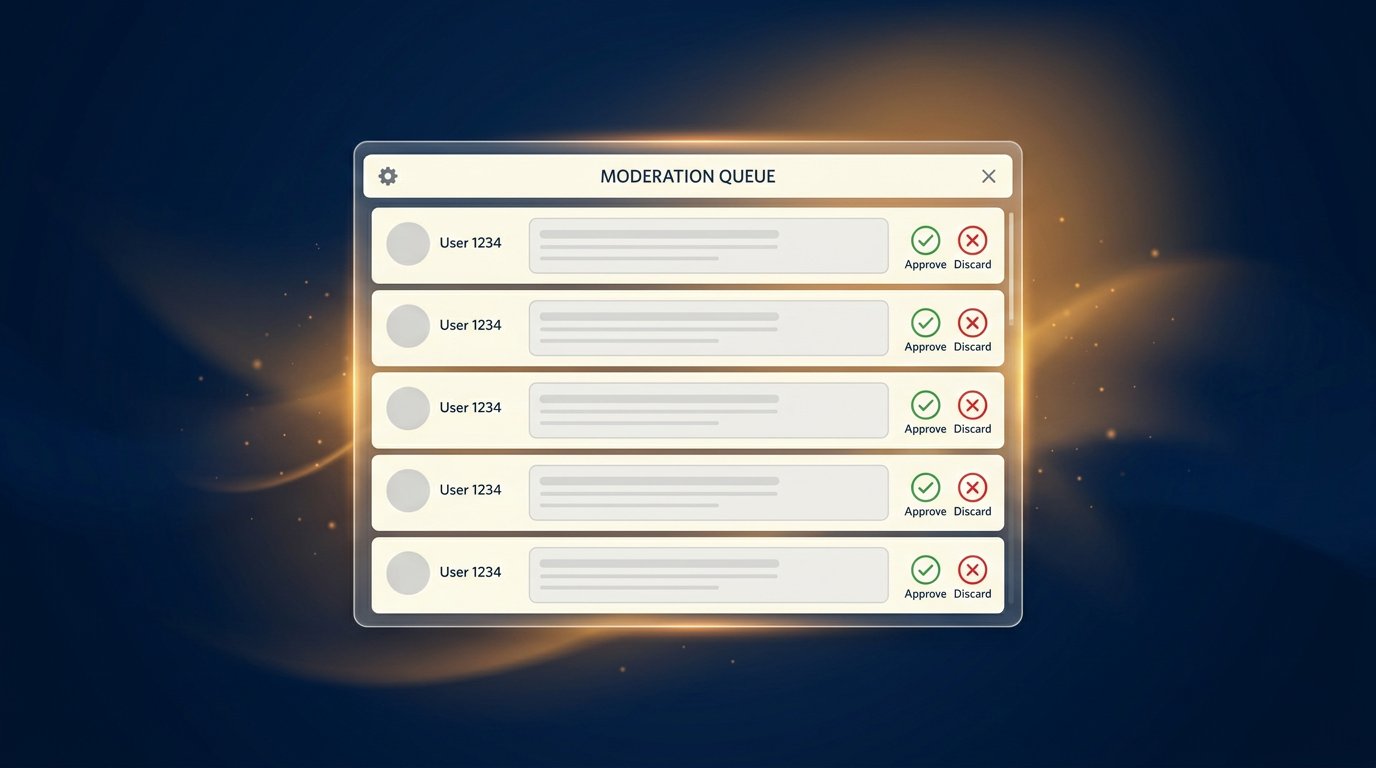
Open the stream you need in the YouTube Studio dashboard and go to the chat. The chat menu has the moderation queue or the "Under Review" messages section. Don't confuse it with comments under the recording, the list of hidden users, and the history of deleted messages.
Each message in the queue has approve and delete actions available. Approve only those messages whose meaning is clear right away. If you see advertising, a link with a suspicious domain, flooding, or an attempt to get around blocked words, delete the message and, if necessary, check the author's history.
How to Clear the Queue Quickly in an Active Chat
During a stream, don't wait for the queue to pile up. Review it in short visits: between matches, scenes, answering questions, or advertising breaks. First, assess a few of the top messages. If it's a batch of ordinary questions with one common trigger, you can immediately tell which rule is worth checking after the stream.
Don't release the entire queue without reviewing it. Among normal messages there may be a phishing link or advertising disguised as a question. The downside of manual processing is that it requires attention and distracts from the broadcast, so for a live chat it's better to distribute the work among several people in advance.
How to Use Moderators and Hotkeys
Add trusted people to the moderator list through the community settings in YouTube Studio. Give them short rules: approve ordinary questions and reactions, don't release suspicious links, delete recurring flooding, and log systematic circumvention of restrictions with a timeout or by hiding the user.
Don't base the queue's workflow on specific hotkeys: the available actions and combinations depend on the interface, browser, and Studio updates. It's more reliable to keep the chat in a separate window, not close the moderation queue, and assign one person to review held messages. The downside of several moderators is that without unified rules they may judge jokes, links, and borderline messages differently.
What to Do About False Triggers
If a safe message has already gone for review, approve it and don't punish the author just for the fact of the delay. Then look at what could have caused it: a blocked word, a link, a repeat, caps, or automatic text assessment. One case isn't enough to change the settings.
If the same term regularly holds messages, find it in the blocked words list and remove it or narrow the rule. If there's no obvious reason, the automatic filter probably triggered. In that case, collect examples over several streams, and then decide whether to keep the current strictness or loosen the review.
Change settings based on a recurring pattern, not a single message. Otherwise you might open the chat to spam while trying to fix a random filter error.
What to Write to a Viewer Whose Message Is Stuck
In advance, add a simple request to the chat rules or a pinned message: if a message goes for review, don't send it many times in a row and don't change the text with links or caps. It's enough for the viewer to wait for a moderator's decision or rephrase the message more briefly, without a link or repeats.
This reduces the load on the queue: resending the same question looks like flooding and can cause new delays. The downside of such a rule is that a viewer won't always notice it in a fast chat, so moderators will still have to periodically explain the reason for the delay.
Which Chat Modes Are Not Related to the Moderation Queue
Slow mode limits the frequency of messages but doesn't by itself send them for review. Subscribers-only chat, channel members, or users with other restrictions determines who can write, not whether an already sent text will be held by the filter.
Don't confuse the queue with deleting a message, a timeout, and hiding a user. A deleted message doesn't wait for a decision. With a timeout, a viewer temporarily can't write, while a hidden user can keep sending messages but the audience won't see them. The downside of strict restrictions is that they can push away active new viewers who accidentally broke a rule.
What to Check Before the Next Stream
- Open the moderation queue on a recent stream and see which messages were held most often.
- Check the blocked words list for short, general, and ambiguous terms.
- Keep links under manual review if the chat regularly receives advertising or phishing.
- Set up automatic review for the chat's real activity, not a single case.
- Add moderators and agree on the rules for approval, deletion, and restrictions in advance.
- Post a rule for viewers: don't duplicate messages that have gone for review.
Last Articles
What has changed in design and functionality We have updated the website to make working with it faster and more convenient. The main changes affect ..
Good afternoon, I've collected all the news during this time.: 1. The main news is that prices for twitch viewers have been greatly reduced, while Tw..
1. Use promo code "December2025" for a 15% discount for all our viewers2. We have reduced the base prices for our configurator and the most affordable..
Twitch services are working stably, so we are ready to cooperate with squads, resellers, service owners, bot owners, and many others.Individual te..
We have completely updated our Twitch viewer services, and they are now working stably. We only use high-quality IP addresses for the viewers.The ..
Hello everyone! Today, we are announcing a new feature—"Twitch Viewer Configurator". Now, you can customize any plan for your Twitch channel. Choo..
Greetings, I have compiled a guide for streamers, which will be very relevant at the moment. Now YouTube and twitch have disabled monetization from vi..
We have finally developed the APINow it will be more convenient for our partner sites to work with us.To update the maximum tariffs for YouTube, an up..
Due to the huge popularity of the partnership services and referral program, we have made a cooperation table. The essence is very simple: more live a..
Our Services for Streamers








Our Services for Content Creators






