
How to Fill Queue Time in League of Legends So Viewers Don't Leave
Why Queue in League of Legends Hurts Retention
During a match, the viewer understands what to watch: the lane, fights, decisions, reactions to mistakes. In queue, the game conflict disappears. What's left on screen is the client, while the streamer stays silent, reads a second monitor, or adjusts the scene. For a casual viewer, this doesn't look like part of the broadcast — it looks like a moment to open another stream.
- It's unclear how long the match search will take.
- There's no event worth staying a few more minutes for.
- After a loss or a win, the conversation can cut off too abruptly.
- The League of Legends client on its own offers almost no new visual reason to watch.
The main reason for the drop-off isn't the queue itself, but the emptiness between matches. The pause needs a clear action: a conversation, a choice, a review, or a short game with chat.
Signal What's Happening Before the Next Match
It's easier for a viewer to stay when they hear the plan for the next minute. You don't need a separate announcement before every search: one phrase after entering the lobby is enough. For example, you can say that before accepting a match you'll break down the last fight, pick a goal for the game, or answer a couple of questions about the matchup.
The wording should be specific. Instead of "let's chat while we wait," "while we search, I'll break down why we gave up the dragon without vision" works better. A block like this has a topic and an expected ending, so the viewer understands why to keep listening.
Don't turn this into a memorized intro. If the same phrase plays in every queue, it quickly becomes background noise. Change the topic based on the last match: after a mistake — a short review, after a good game — an explanation of the decision, after a rough streak — switching to a conversation with chat.
Break Down One Moment from the Previous Game
After a match, the audience already shares the context. You don't have to open the replay and hunt for the perfect timestamp. You can reconstruct the moment from memory: a failed gank, a late teleport, a lost objective, a wrong recall, or positioning in a teamfight.
A good short review is built around three points: what happened, what decision was available, and what you'll do in the next similar situation. This way the pause becomes useful both for viewers who are learning to play and for the regular audience interested in your thinking.
If the match was especially tense, don't get stuck looking for someone to blame. A review in the "I did everything wrong" format gives the viewer neither value nor a reason to join the dialogue. Better to take one manageable moment: wave control, vision before an objective, assessing the opponent's strength, or the timing of returning to base.
Use Champion Select as Part of the Broadcast
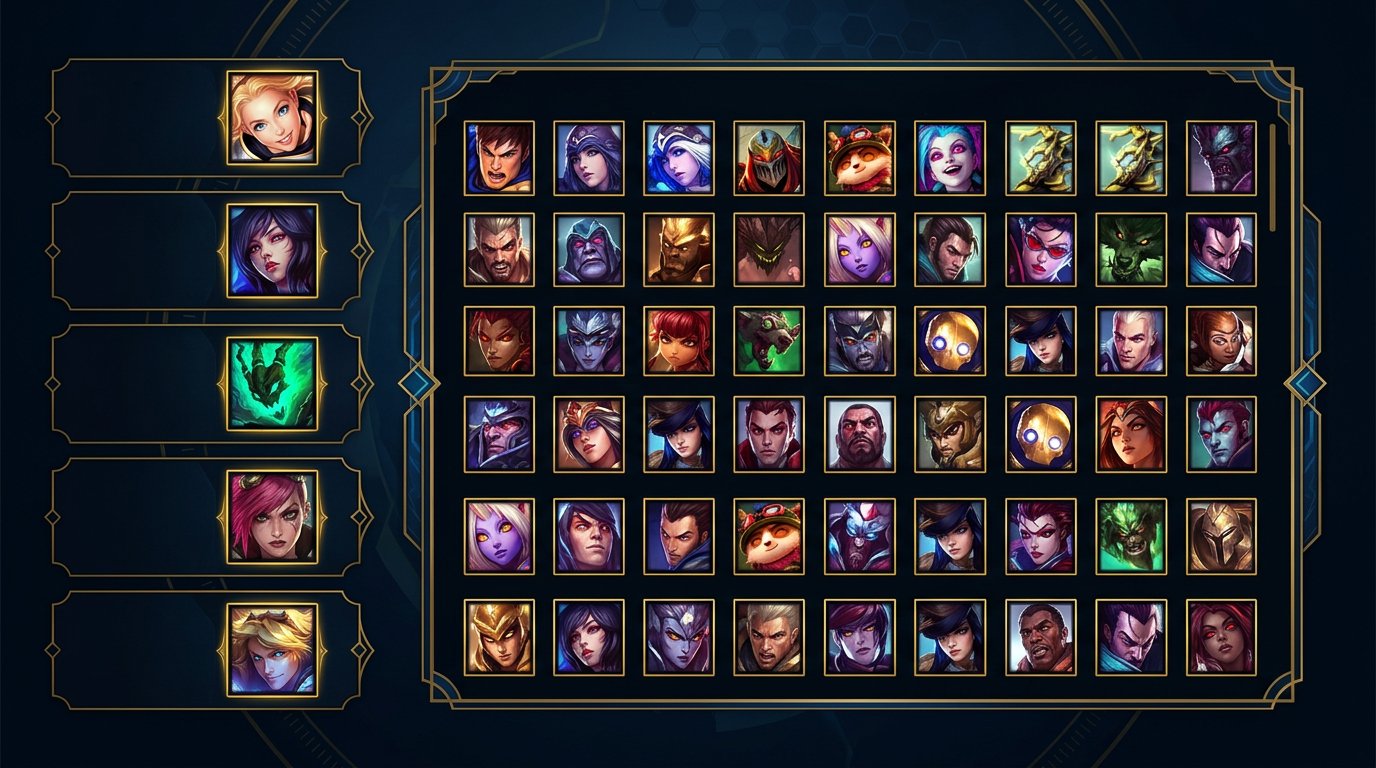
Picking a champion and preparing for the game can become content in themselves. If you have a wide pool, discuss with chat which pick suits the stream's goal or the mood after the last game. If you main one champion, explain your choice of bans, runes, starting item, and the plan for the specific matchup.
It helps to name in advance the condition that changes the decision. For example: against heavy crowd control you consider one build, against prolonged fights — another; with a weak early game you play off a safe wave, with a favorable matchup you look for pressure. The viewer gets not a random set of tips, but the logic of the choice.
Champion voting should be limited to options you're actually willing to take. Otherwise chat will pick an uncomfortable pick, and you'll have to either back out of your own interactivity or ruin the match for the sake of the idea.
Ask Chat Questions with a Specific Choice
Queue is good for conversation, but "how's it going?" rarely holds attention. It's easier for chat to answer when there's a debatable point, several options, or a connection to the match just played. What matters is not just reading messages, but developing one topic for at least a few exchanges.
Topics for a Short Discussion
- Whether it was worth taking the objective or backing off right after a kill.
- Which item would have been stronger in a specific situation.
- Which champion is the most dangerous for your next pick.
- Whether you should have swapped lanes or kept playing from the weak side.
- Which mistake most often holds viewers back at their rank.
- Which matchup to break down in one of the next breaks.
Don't try to answer every message. When a streamer jumps between a dozen replies, the conversation falls apart, and the queue once again looks like waiting. Pick one question, gather a few opinions, and give your position before the game appears.
Add Polls and Predictions for One Game
Interactivity works best when its result can be checked in the next match. A poll shouldn't require a long explanation and shouldn't force you to change a sensible game plan. Its job is to give the viewer a reason to wait for the start and come back to the answer after the game.
Mechanics for Queue
- Poll: play the next game more aggressively or from a safe early game.
- Poll: which of two prepared champions to pick if both fit the situation.
- Prediction: whether the first major objective will happen before a certain in-game moment.
- Prediction: whether you'll finish the lane without deaths or gain a creep advantage.
- Goal choice: place more vision, cut unnecessary deaths, help the jungler more often, or control the wave better.
- Advice check: chat suggests one realistic focus for the match, and after the game you assess whether it helped.
If the platform has built-in predictions, use them only for simple outcomes that are clear before the start. If there's no such tool, chat messages or a regular poll are enough. The downside of predictions is that viewers forget overly complex conditions before the middle of the game.
Run Mini-Games You Can Cut Off Instantly
For a drawn-out queue, activities with no preparation and no mandatory ending come in handy. The main rule: a found match matters more than a mini-game. As soon as the accept appears, you calmly switch to the client, and viewers don't lose the meaning of what's happening.
One option is "guess the champion from three clues." You name the role, a typical weakness, and an ability feature, and chat writes answers. Another option is "believe it or not": you state a debatable claim about macro play, then briefly explain your position. For example, whether it's worth giving up the outer turret for a dragon in a specific game situation.
Another mechanic is a quick item review. Show an item or rune and ask chat to name the champion for whom this choice is especially useful. After a few answers, explain in which matchup the choice works and where it would be a mistake. Such mini-games require solid knowledge of the topic from you: if the answers turn into an argument without explanation, the value of the pause drops.
Make the Queue Scene Readable
A client screen without voice looks like a technical pause. A separate scene for queue helps show that the broadcast is continuing: you can zoom the camera, keep chat, display the current stream goal, or a short topic for discussion. Design shouldn't replace content, but it helps the viewer grasp the format of the moment faster.
Don't overload the scene with animations, timers, and tiny widgets. If it's hard for a viewer to find the streamer's face, the chat, or what's happening in the client, the design distracts. Check the sound separately: a quiet mic, loud music, and frequent system notifications are more noticeable than any beautiful frame.
It helps to keep one changing line on the scene: "reviewing the last fight," "picking a goal for the match," or "poll before the pick." It sets the context for new viewers who came in during the search and didn't hear the start of the conversation.
Match the Activity to the Length of the Search
A short queue doesn't need a big block. It's enough to name the plan for the match, reply to one message, or state a conclusion from the last game. If the search drags on, you can move to a poll, a mini-game, or a more detailed review. Don't start a long story that will be unpleasant to abandon halfway.
It's convenient to keep three levels of content ready. The first takes a few seconds: a question to chat or a goal for the next game. The second is designed for a couple of minutes: a discussion of a build, a mistake, or a matchup. The third is for a long wait: a mini-game, a situation review, or an extended conversation about a champion.
The best format for queue can be stopped without explanation the moment a match is accepted. This protects the pace of the broadcast and doesn't force you to choose between interactivity and preparing for the game.
Check After Which Pauses Viewers Leave
Watch recordings of your streams and note not only the drop in viewership but also the context: a match just ended, you were silent, you turned on music, you argued in chat, or you spent a long time changing settings. The queue may just be the moment when another problem becomes noticeable.
Compare several broadcasts. If the audience stays during reviews but leaves on a silent client screen, it's worth starting the conversation right after the match more often. If the drop-off begins after a losing streak, the cause may be a frustrated delivery rather than the length of the search.
Don't change everything at once. Pick one mechanic for several streams: for example, a question about the last match or a goal for the next game. That way it's easier to understand whether the format helps and whether it's gotten old for regular viewers.
Checklist of Actions During Queue
- Right after the match, say what you'll do before accepting the game.
- Pick one moment to review instead of recapping the whole game.
- Ask chat a question with answer options tied to the match.
- Launch a poll or prediction whose result will be checked in the next game.
- Keep one mini-game ready in case of a long search.
- Switch to pick preparation without regret as soon as a match is found.
- After the stream, check what was happening at the moments viewers dropped off.
Problem: after a loss you stay silent in the lobby, and viewers see only the client. What to do: say out loud one mistake from the match, ask chat about another decision option, and carry the answer into the goal for the next game. Even if the queue ends in a few seconds, the pause will already have substance.
Last Articles
What has changed in design and functionality We have updated the website to make working with it faster and more convenient. The main changes affect ..
Good afternoon, I've collected all the news during this time.: 1. The main news is that prices for twitch viewers have been greatly reduced, while Tw..
1. Use promo code "December2025" for a 15% discount for all our viewers2. We have reduced the base prices for our configurator and the most affordable..
Twitch services are working stably, so we are ready to cooperate with squads, resellers, service owners, bot owners, and many others.Individual te..
We have completely updated our Twitch viewer services, and they are now working stably. We only use high-quality IP addresses for the viewers.The ..
Hello everyone! Today, we are announcing a new feature—"Twitch Viewer Configurator". Now, you can customize any plan for your Twitch channel. Choo..
Greetings, I have compiled a guide for streamers, which will be very relevant at the moment. Now YouTube and twitch have disabled monetization from vi..
We have finally developed the APINow it will be more convenient for our partner sites to work with us.To update the maximum tariffs for YouTube, an up..
Due to the huge popularity of the partnership services and referral program, we have made a cooperation table. The essence is very simple: more live a..
Our Services for Streamers








Our Services for Content Creators






