
Streamers Who Give Prime for Points on Twitch
Streamers who give prime for points: what this actually means
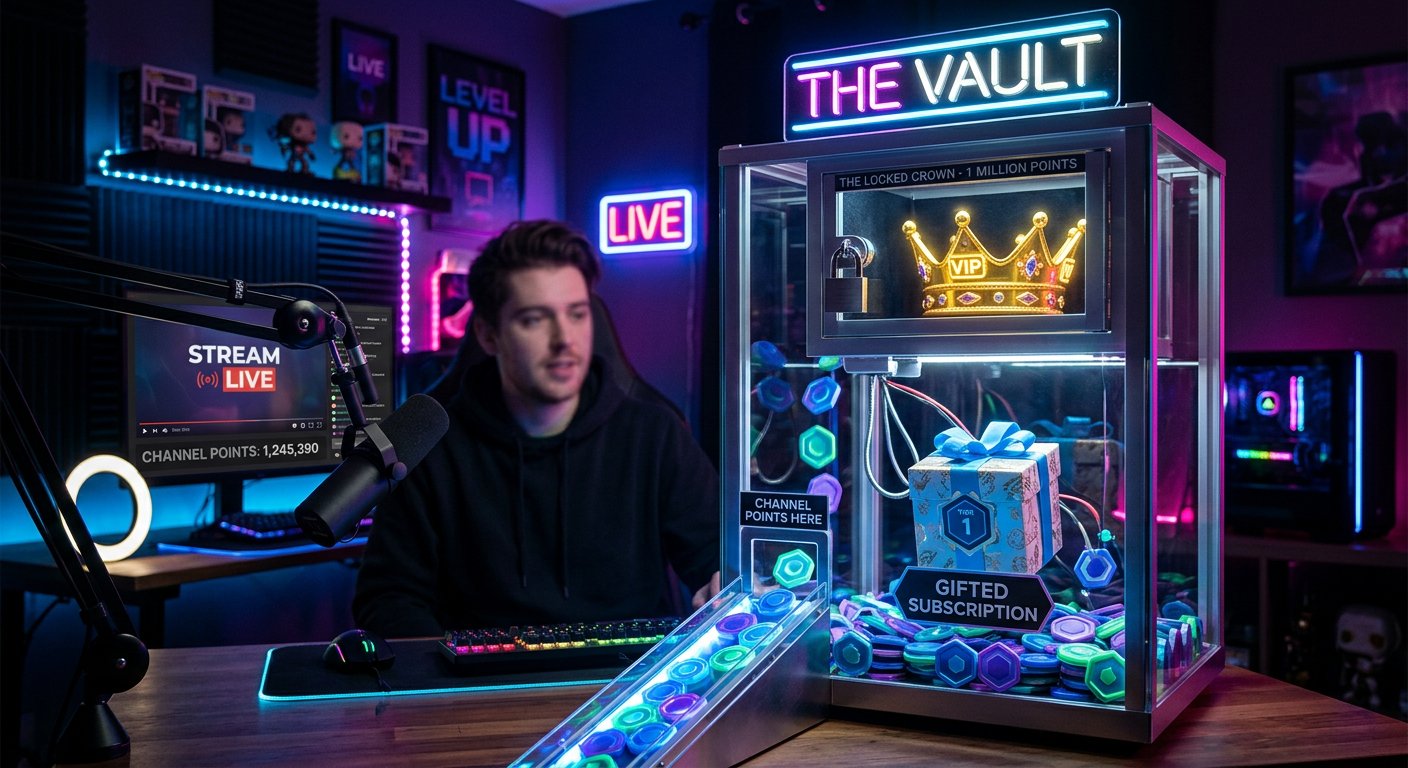
The phrase "prime for points" usually refers to a reward for Twitch viewers. A streamer sets up a channel where points are earned for watching and being active. These can be exchanged to enter a giveaway, access a specific promotion, or receive a gift from the broadcaster.
At the same time, Prime Gaming and a gifted subscription are not the same thing. Prime Gaming is tied to an Amazon Prime subscription and is set up by the viewer themselves, if that option is available in their region. A streamer cannot simply transfer their own Prime subscription to another user. What's called "prime" in a promotion may actually mean a gifted subscription, a prize, or a reimbursement of its cost.
That's why, before participating, it's important to open the reward description and clarify exactly what you'll receive. If the terms are vague, it's better to ask about it in chat or check with the moderators.
How exchanging points for a reward works
Channel points only work on the channel where they were earned. They can't be transferred to another streamer or combined with points from a neighboring community. The number of points and available rewards are set by each broadcaster individually.
A streamer can choose one of several options:
- exchanging points for a spot in a giveaway;
- accumulating points up to a set threshold;
- giving a gifted subscription to a random participant;
- running a promotion among viewers who activated a special reward.
If points only grant the right to participate, receiving a prize isn't guaranteed. If the rules specify a guaranteed reward, check the payout timeline, the number of available prizes, and how the winner will be contacted.
Where to look for streamers running these promotions
There's no ready-made, permanent list of streamers who give prime for points. Rewards change, and a broadcaster may enable the promotion for only a short period. It's more convenient to search for suitable channels in several places.
- in the channel points rewards section on the channel page;
- in the panel below the stream where community rules are described;
- in pinned chat messages;
- on the streamer's Discord or social media;
- through search queries with the game's name and the words "channel points," "Prime," or "giveaway."
Start by looking at active streams and the channel description. Old posts may contain outdated terms. If a promotion ended long ago, its reward sometimes remains visible in the archive, but it can no longer be redeemed.
How to check the terms before participating
Don't spend your points until you understand the mechanics. The reward description should include its name, point cost, expiration period, and how the winner is selected. It's also worth checking who can participate: all viewers, channel subscribers, or only users who meet additional conditions.
Pay attention to the following details:
- whether the reward can be activated multiple times;
- when the result is announced;
- how the streamer contacts the winner;
- what happens if the winner doesn't respond in time;
- whether you need to be watching the stream at the moment of the giveaway.
Participation never requires your Twitch password, a two-factor authentication code, bank card details, or access to your email. If someone asks you to share such information, stop the conversation and report the user through the platform's available tools.
How to improve your chances of finding a suitable promotion
Turn on notifications for channels that frequently run viewer activities. Keep an eye on stream schedules and check rewards at the start of a broadcast: sometimes a streamer changes them before a specific game or event.
Don't buy channel points from third parties and don't click links in private messages without checking them first. Points are earned within a specific channel, so offers of "cheap points" or "fast prime" are often tied to attempts to gain access to your account.
Also consider the broadcaster's reputation. Clear rules, an open history of giveaways, and active moderation don't provide an absolute guarantee of results, but they help distinguish a normal promotion from a shady scheme.
What to do, step by step
- Find a channel with an active points reward.
- Clarify what exactly the broadcaster means by "prime."
- Read the rules, timelines, and restrictions.
- Activate the reward only through the Twitch interface.
- Never share your password, confirmation codes, or payment details.
Last Articles
What has changed in design and functionality We have updated the website to make working with it faster and more convenient. The main changes affect ..
Good afternoon, I've collected all the news during this time.: 1. The main news is that prices for twitch viewers have been greatly reduced, while Tw..
1. Use promo code "December2025" for a 15% discount for all our viewers2. We have reduced the base prices for our configurator and the most affordable..
Twitch services are working stably, so we are ready to cooperate with squads, resellers, service owners, bot owners, and many others.Individual te..
We have completely updated our Twitch viewer services, and they are now working stably. We only use high-quality IP addresses for the viewers.The ..
Hello everyone! Today, we are announcing a new feature—"Twitch Viewer Configurator". Now, you can customize any plan for your Twitch channel. Choo..
Greetings, I have compiled a guide for streamers, which will be very relevant at the moment. Now YouTube and twitch have disabled monetization from vi..
We have finally developed the APINow it will be more convenient for our partner sites to work with us.To update the maximum tariffs for YouTube, an up..
Due to the huge popularity of the partnership services and referral program, we have made a cooperation table. The essence is very simple: more live a..
Our Services for Streamers








Our Services for Content Creators






