
Air Cooling or AIO: What to Choose for a Streaming PC
What Heats Up a Streaming PC During a Broadcast
A long broadcast creates sustained load, not a short spike after which components have time to cool down. The processor may simultaneously handle the game, scenes, browser sources, chat bots, plugins, local video recording, and background programs. The more tasks remain on the CPU, the higher its power consumption and heat output.
With software video encoding, the processor loads several or all available cores. This is especially noticeable in games that actively use the CPU themselves: the encoder competes with the game for computing resources, clock speeds may drop, and the cooler ramps up to high RPM. In this scenario, not only temperature matters, but also the ability of the cooling system to dissipate heat over a long period under steady load.
How the Encoder Affects CPU and Graphics Card Temperatures
Hardware encoding on the graphics card usually shifts the main work of compressing the stream to its media blocks. The load on the processor decreases, but the graphics card continues to heat up from the game itself, scene rendering, and working with multiple displays. A hot GPU dumps heat into the case, so the processor temperature can also rise even with light CPU usage.
If encoding goes through the CPU, its thermal load depends on the selected encoder settings, resolution, frame rate, scene complexity, and parallel tasks. There is no universal consumption value here: the same processor behaves differently under different power limits and BIOS settings. Cooling is selected based on real sustained load, not just the CPU name.
Why the State After Several Hours of Streaming Matters
In the first minutes of a test, an AIO often shows a lower temperature: the liquid and radiator have not yet warmed up. Then the system reaches a steady state where radiator area, fan speed, room air temperature, and case ventilation are what matter. A short gaming test does not always show how the PC will behave by the end of a broadcast.
An air cooler responds faster to load changes because heat is transferred directly to its heatsink. An AIO takes longer to heat up and longer to cool down. At the same time, neither option will help if the case takes in little fresh air or the hot exhaust from the graphics card stays inside. In such a build, the cooler will reuse already heated air.
When an Air Cooler Is the Better Fit
A tower cooler dissipates heat through a heatsink array and one or two fans. This is a practical choice for most streaming PCs with moderate or high, but not extreme, processor consumption. A quality tower can run stably through a multi-hour broadcast if the case does not restrict air intake and the CPU is not set to inflated power limits.
Air cooling has no pump, liquid, or tubes. Maintenance comes down to cleaning the heatsink and replacing the fan when it wears out. Diagnostics are also simple: if a fan starts making noise or spins poorly, it can be replaced separately. The drawback is straightforward: a large tower may block tall memory modules, hinder access to connectors, and fail to fit in a narrow case.
Which Builds Make Sense for an AIO
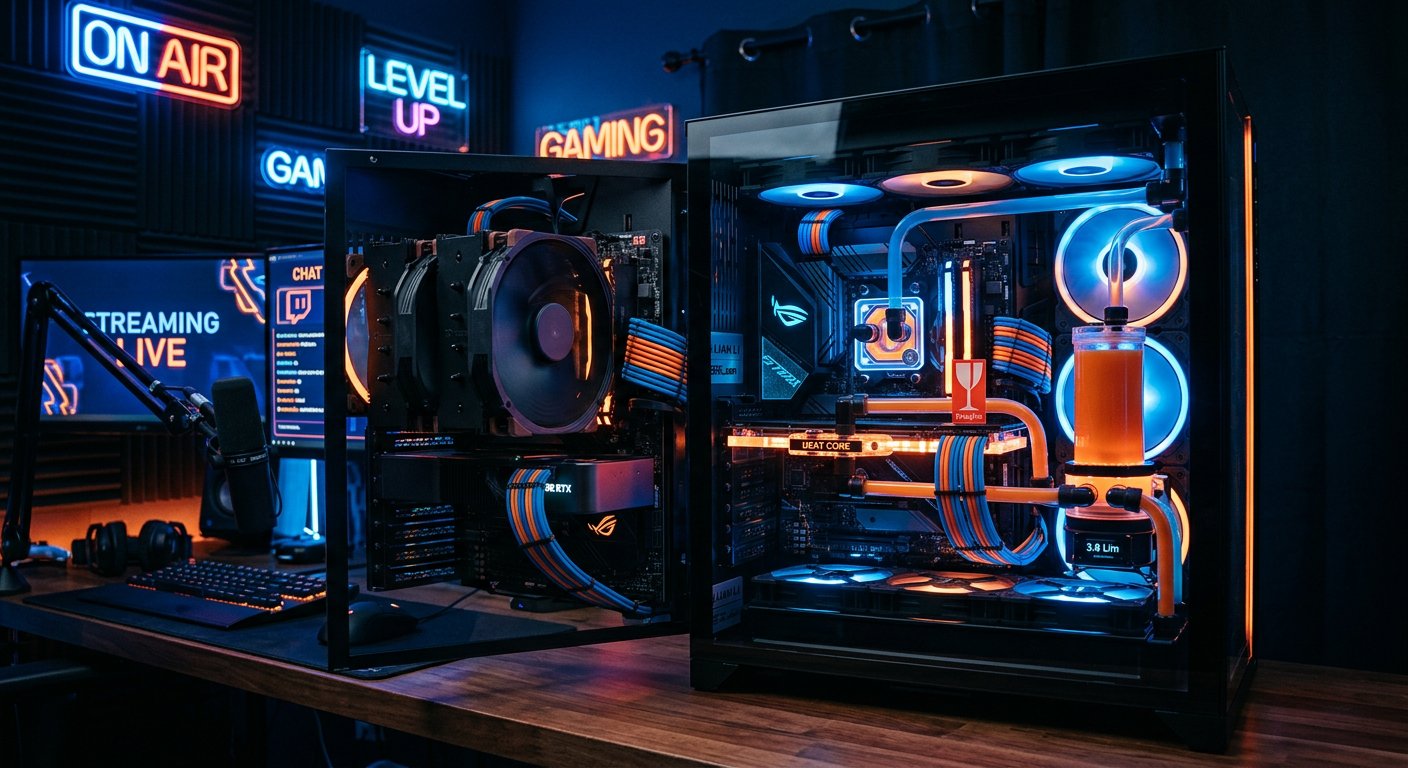
A closed-loop AIO transfers heat from the processor to a radiator that is mounted at the top, front, or side of the case. This option is useful for a hot CPU under high sustained load when a large tower is insufficient or does not fit by height. A larger radiator usually has more headroom for heat dissipation, but only with proper airflow through it.
An AIO also frees up space around the socket. This is convenient in builds with tall memory modules and massive motherboard heatsinks. But free space near the CPU does not mean the system will be cooler. If the radiator is mounted at the front and draws cool air from outside, that air heats up after the radiator and flows to the graphics card. In a compact case, this can noticeably worsen GPU temperatures.
Drawbacks of an AIO and Pump Risks
An AIO is more complex than a tower cooler: it has a pump, tubes, liquid, a radiator, and several fans. Each element can become a source of noise or failure. The pump often produces a constant high-frequency sound that is more noticeable than the smooth noise of fans. This is especially noticeable when the PC sits on a desk next to the microphone.
A closed-loop AIO has more failure points by design. The pump may start rattling, lose efficiency, or run unstably, and the radiator fans wear out over time. A leak in a working system is not a normal situation, but such a risk cannot be completely ruled out. If there is a problem with the pump, the processor will quickly drop clock speeds or hit protective limits. The drawback of an air cooler is simpler: it can also lose a fan, but the heatsink and mounting remain functional.
Computer Noise During Broadcasts and Recordings
For a streamer, not only loudness matters but also the character of the noise. An air cooler is usually heard as airflow. With a smooth fan curve, it can remain unobtrusive, but with sharp load spikes, the RPM can change quickly. This "floating" noise is sometimes more distracting than a constant background hum.
An AIO adds pump noise that cannot be fully eliminated by adjusting the fans. A radiator with several fans can also become loud at high RPM. For a quiet broadcast, it is more useful to limit excessive CPU consumption, set a smooth fan curve, and move the PC farther from the microphone. Minimum temperature does not always mean minimum noise.
Case Compatibility and Ventilation
Before buying an air cooler, check the maximum allowed height in the case specifications. Consider not only the height of the heatsink itself but also the position of the front fan: it sometimes has to be raised because of memory modules. After that, the tower may no longer fit under the side panel.
For an AIO, radiator size, fan thickness, and mounting location matter. Top mounting usually helps exhaust CPU heat out of the case but may conflict with memory or motherboard heatsinks. Front mounting gives the radiator cooler air but raises the temperature inside the case. The drawback is especially noticeable if the graphics card is already running close to its thermal limit.
Maintenance of an Air Cooler and an AIO
Both types of cooling need regular dust cleaning. Clogged filters, radiator fins, and fans worsen performance regardless of design. With an air cooler, it is enough to check the mounting, remove dust, and replace the fan if necessary. Thermal paste is changed when removing the cooler or if there are signs of degraded contact.
A closed-loop AIO usually does not require topping up liquid or disassembling the loop. But you need to monitor CPU temperature, pump speed, and unusual sounds. Constant gurgling, rattling, vibration, or unstable RPM are reasons to check the system before the next long stream. The drawback of this maintenance is that the pump usually cannot be replaced separately without replacing the entire AIO.
Who Should Choose Air Cooling and Who Should Choose an AIO
Choose an air cooler if simplicity and reliability matter
- The processor does not reach high power consumption during gaming and encoding.
- The broadcast is encoded by the graphics card, and the CPU mainly handles the game, scenes, and background tasks.
- A large tower fits in the case and there is proper fresh air intake.
- You need a system with straightforward maintenance and a minimum number of components that can fail.
- The PC sits close to the microphone, and constant pump noise is undesirable.
Consider an AIO for a hot CPU and limited space around the socket
- The processor runs under high load for a long time due to software encoding, heavy scenes, or parallel tasks.
- A large air cooler does not fit in the case or conflicts with memory.
- The case supports a suitable radiator and allows separate air intake and exhaust to be arranged.
- You are ready to monitor the pump's condition and accept a more complex design.
- CPU temperatures remain high after checking cooler mounting, case ventilation, and power limits.
What to Check Before Replacing Cooling
- Look at CPU and GPU temperatures after prolonged gaming and streaming, not just in the first minutes of load.
- Check which encoder is used and how much it loads the processor or graphics card.
- Make sure the cooler is mounted with proper contact pressure and the case fans are not working against each other.
- Set reasonable processor power limits and smooth fan curves.
- Compare the height of the tower cooler or the dimensions of the AIO radiator with the case, memory, and motherboard.
- Estimate the graphics card temperature after the proposed front or top radiator installation.
Changing the cooling type without tuning the case and power can deliver less benefit than expected. For most streaming PCs, a good air cooler and properly organized ventilation are enough. An AIO is justified when the sustained load on the CPU is truly high and the case and airflow design are suited to a radiator.
Last Articles
What has changed in design and functionality We have updated the website to make working with it faster and more convenient. The main changes affect ..
Good afternoon, I've collected all the news during this time.: 1. The main news is that prices for twitch viewers have been greatly reduced, while Tw..
1. Use promo code "December2025" for a 15% discount for all our viewers2. We have reduced the base prices for our configurator and the most affordable..
Twitch services are working stably, so we are ready to cooperate with squads, resellers, service owners, bot owners, and many others.Individual te..
We have completely updated our Twitch viewer services, and they are now working stably. We only use high-quality IP addresses for the viewers.The ..
Hello everyone! Today, we are announcing a new feature—"Twitch Viewer Configurator". Now, you can customize any plan for your Twitch channel. Choo..
Greetings, I have compiled a guide for streamers, which will be very relevant at the moment. Now YouTube and twitch have disabled monetization from vi..
We have finally developed the APINow it will be more convenient for our partner sites to work with us.To update the maximum tariffs for YouTube, an up..
Due to the huge popularity of the partnership services and referral program, we have made a cooperation table. The essence is very simple: more live a..
Our Services for Streamers








Our Services for Content Creators






